
Integrate QuickBooks (Offline)
Easy POS system offers seamless integration with QuickBooks accounting and bookkeeping software. This integration enables you to download receipts in CSV format and easily upload them to QuickBooks.
- Log in to the POS Back Office Web-portal
- Select “Integrations” from the main menu
- Go to the “Apps”
- Tick ON “QuickBooks”
- QuickBooks will be enabled and available under “Add-on Apps” in the Integrations section.
- Select QuickBooks Integration and select the "Offline" method
- Enter a valid date and time range, and select the correct SHOP
- Click the download CSV option
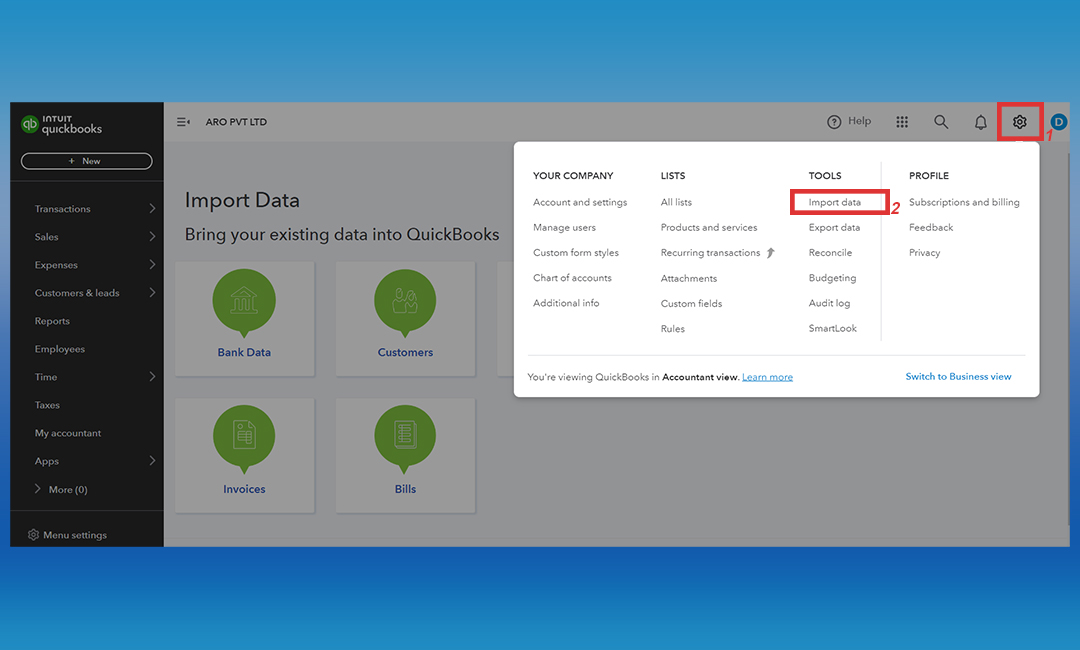
- Upload the CSV to the QuickBooks “import data” section
Enter a valid date and time range, and select the correct SHOP
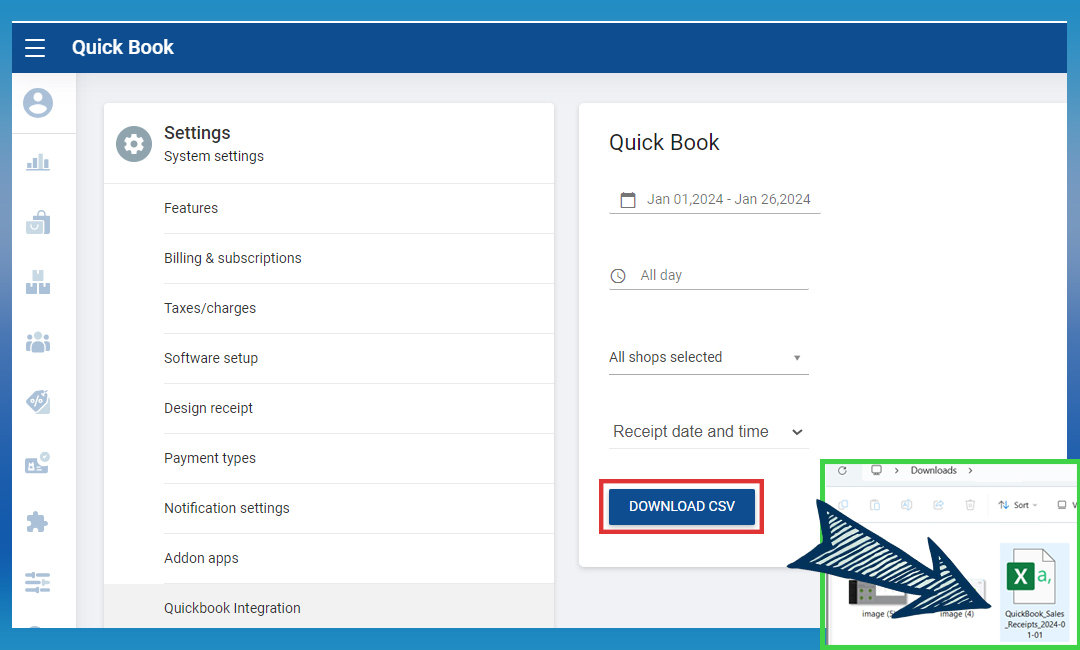
- Click download CSV option
Upload the CSV to the Quickbook “import data” section
Related Help Links
Was this article helpful? Tell our team what was missing.
Send us feedback