
How to Change My Profile Details
Change My Profile Details
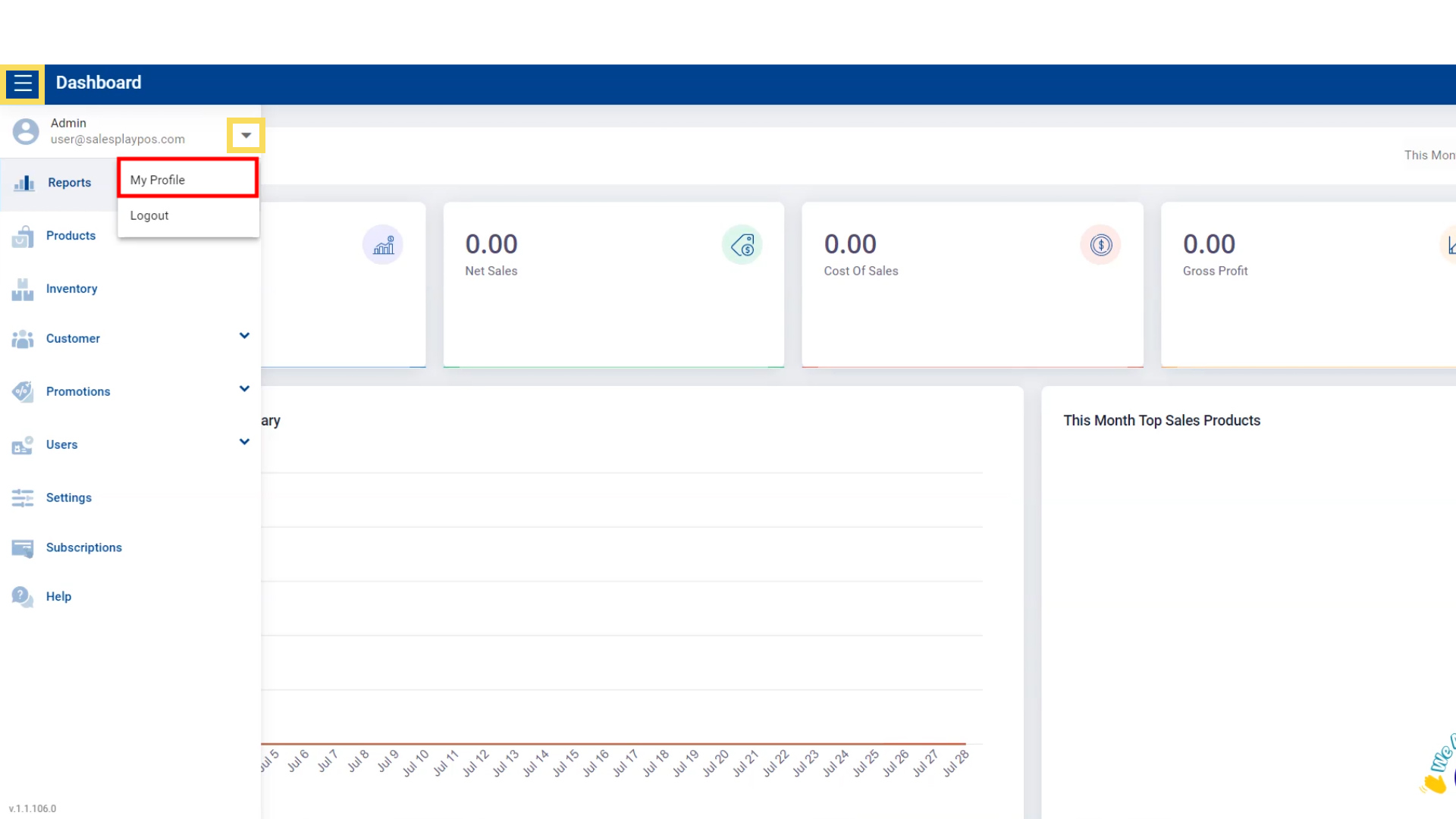
- Go to 'Main Menu'.
- Select 'Admin' profile section.
- Go to 'My Profile'.
Change Timezone
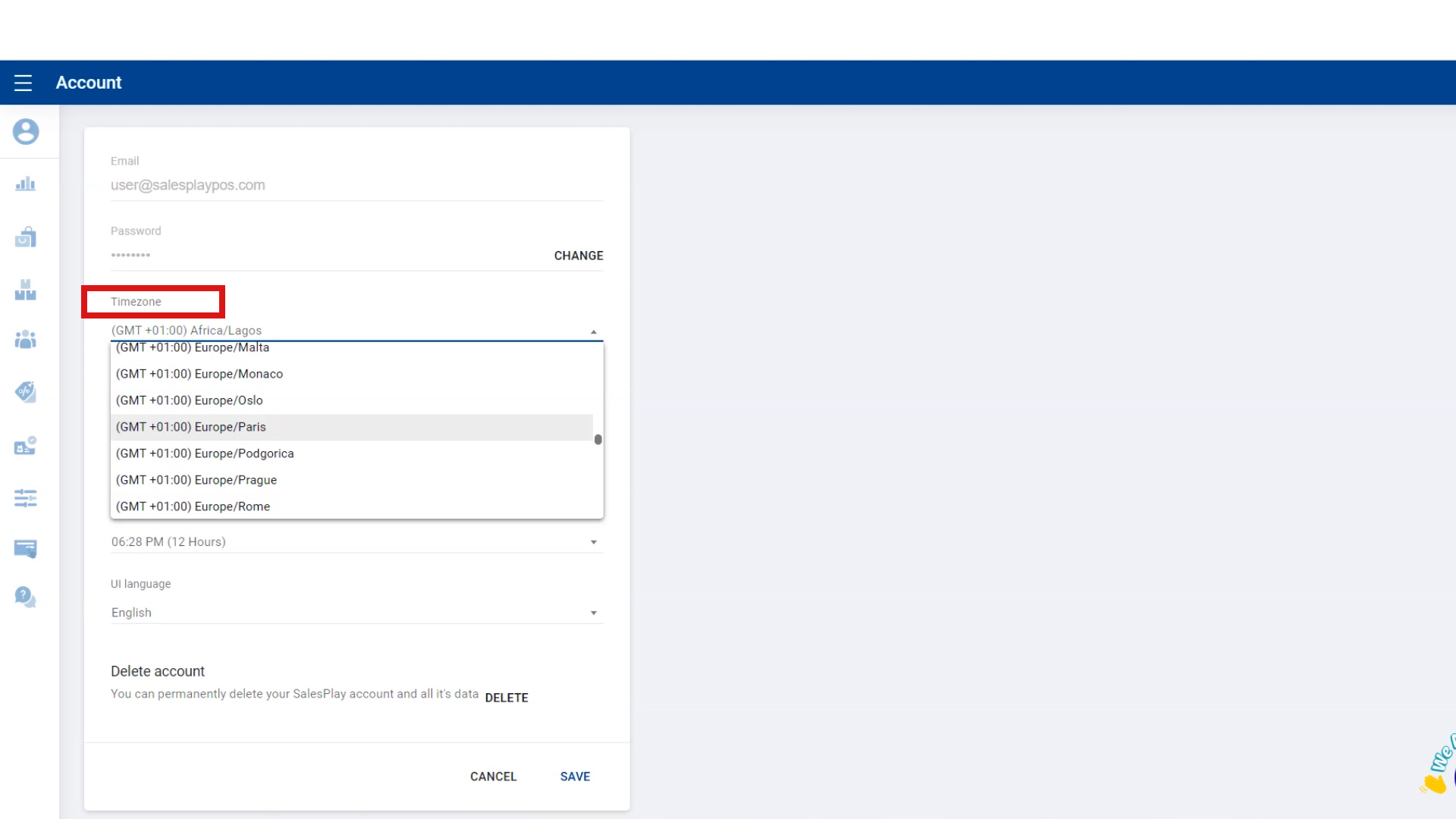
Go to 'Timezone' , click on the dropdown menu and select your timezone.
Change Date Format
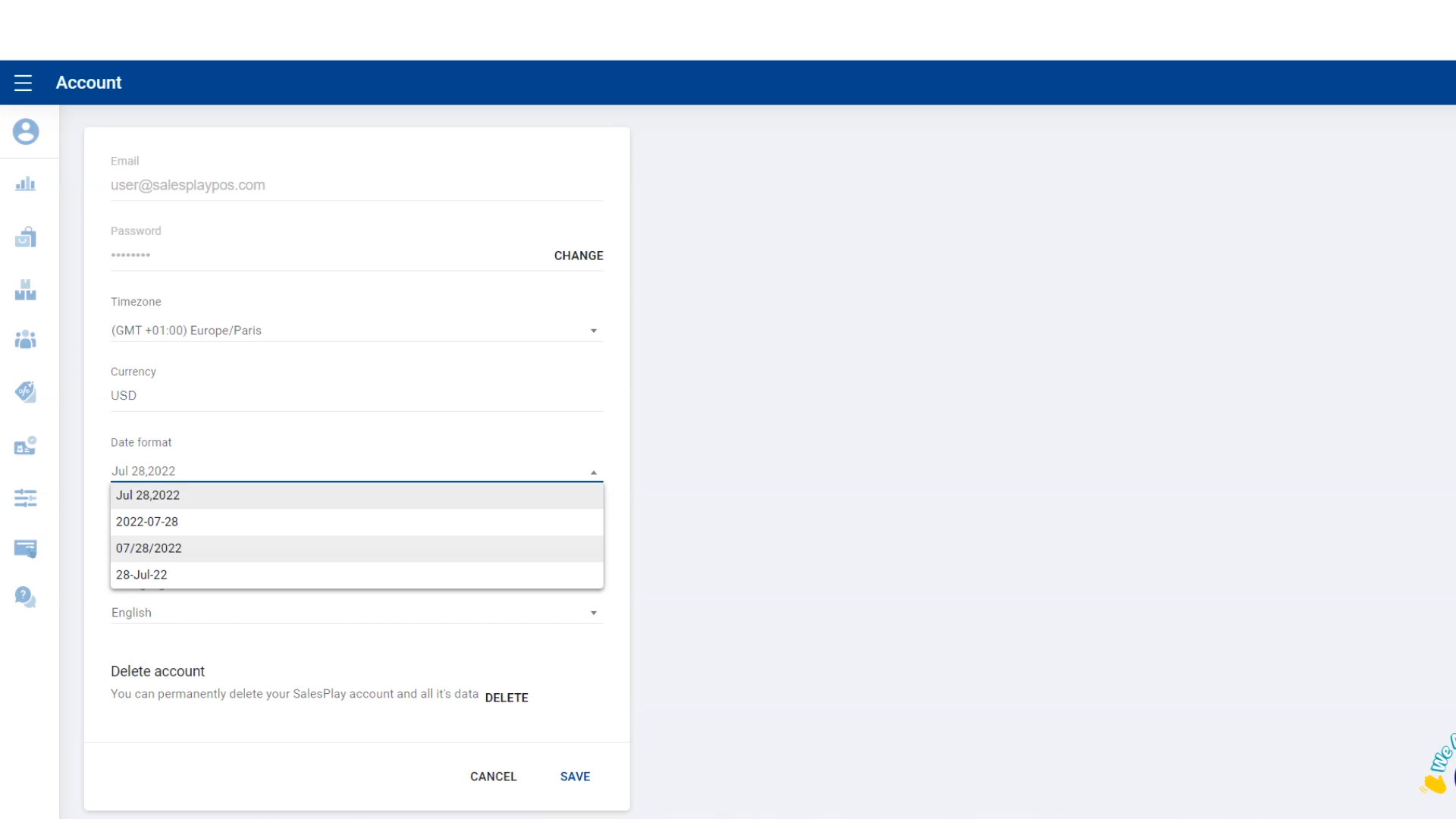
- Go to 'Date format' , click on the dropdown menu and select the data format you want.
Change Time Format
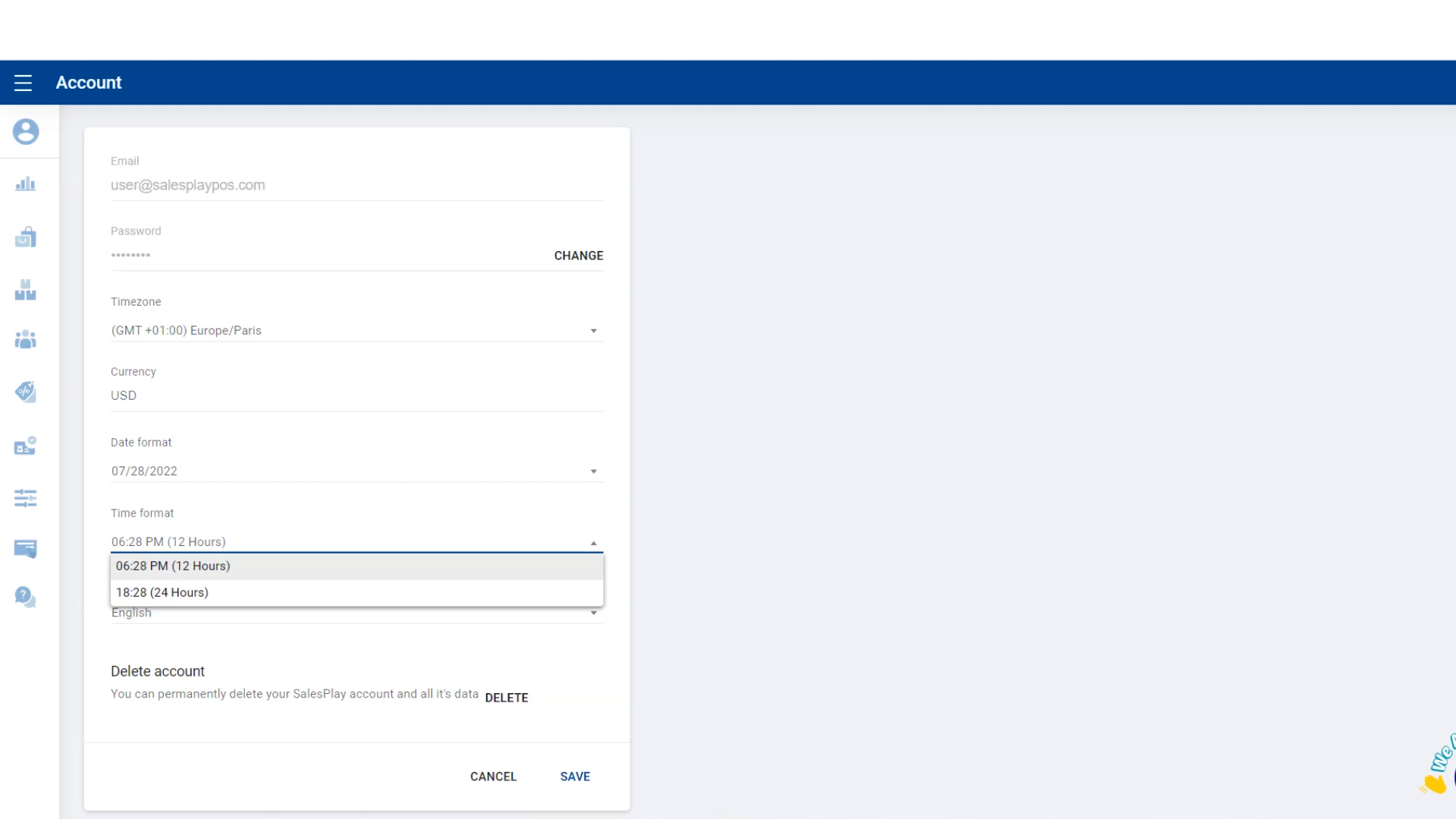
- Go to 'Time format' , click on the dropdown menu and select the time format you want.
Change The Language
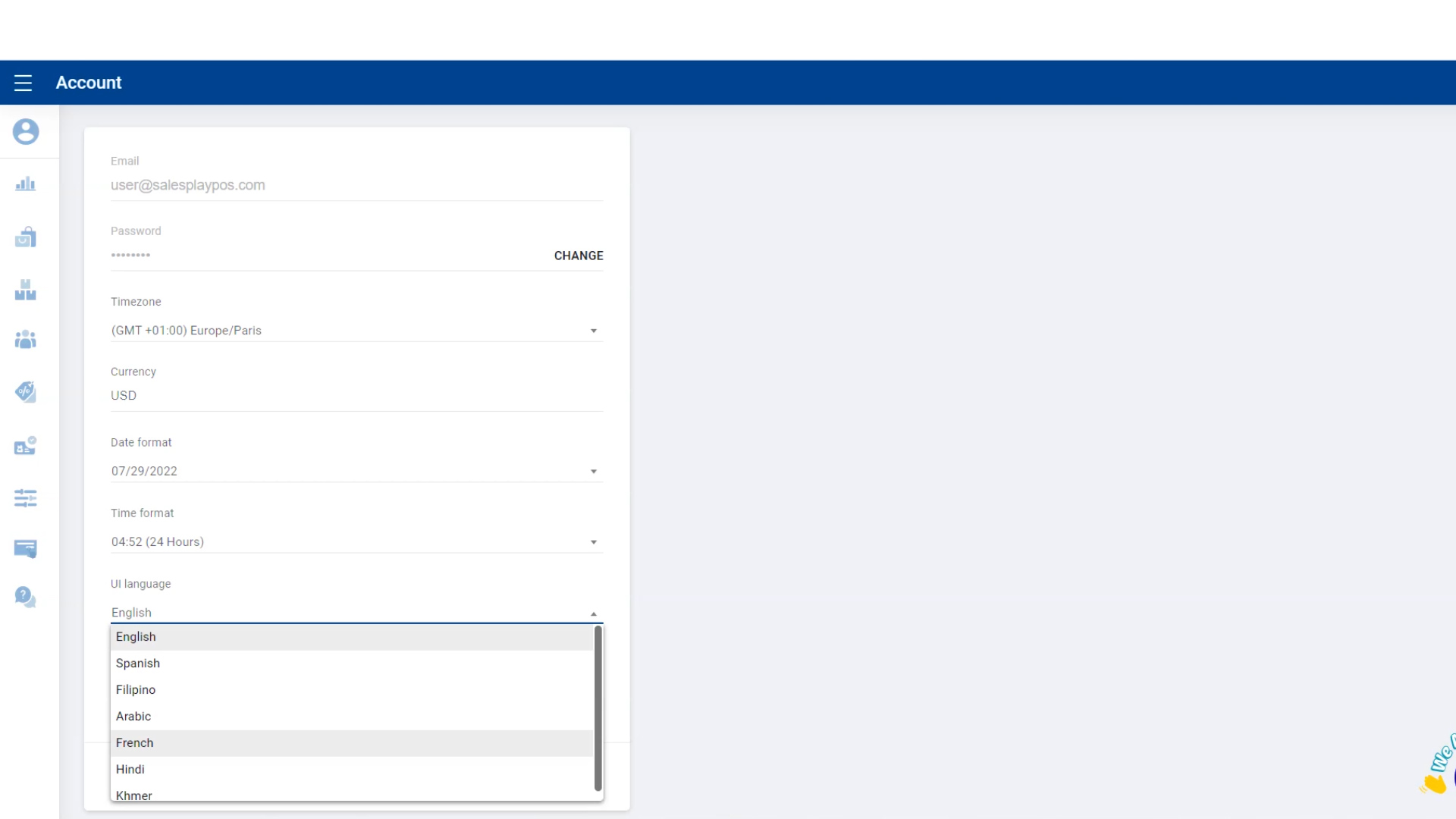
- Go to 'UI language' , click on the dropdown menu and select the language you want.
Save Changes
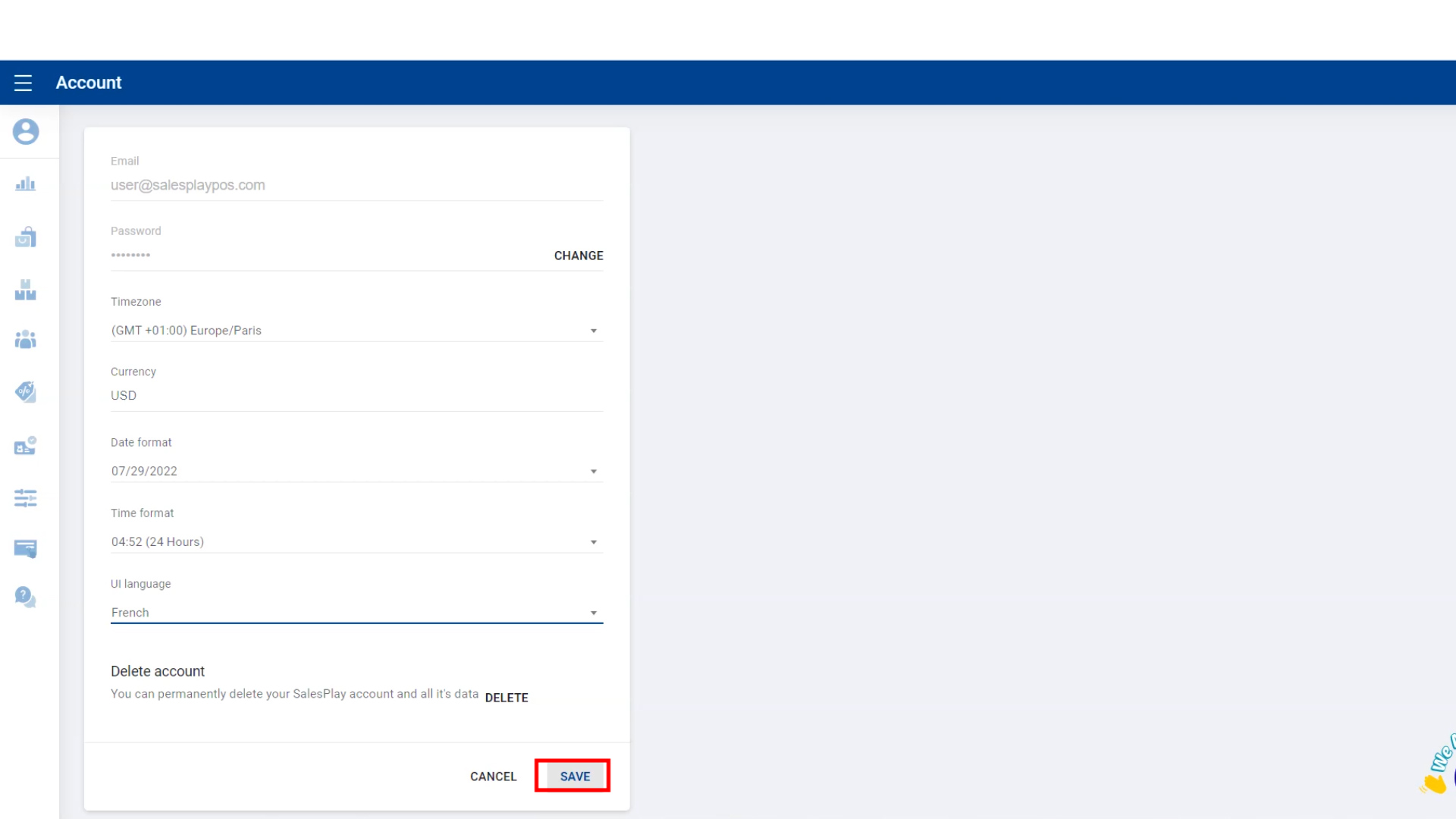
- Click 'SAVE' button .
Was this article helpful? Tell our team what was missing.
Send us feedback