
How to Design Receipts
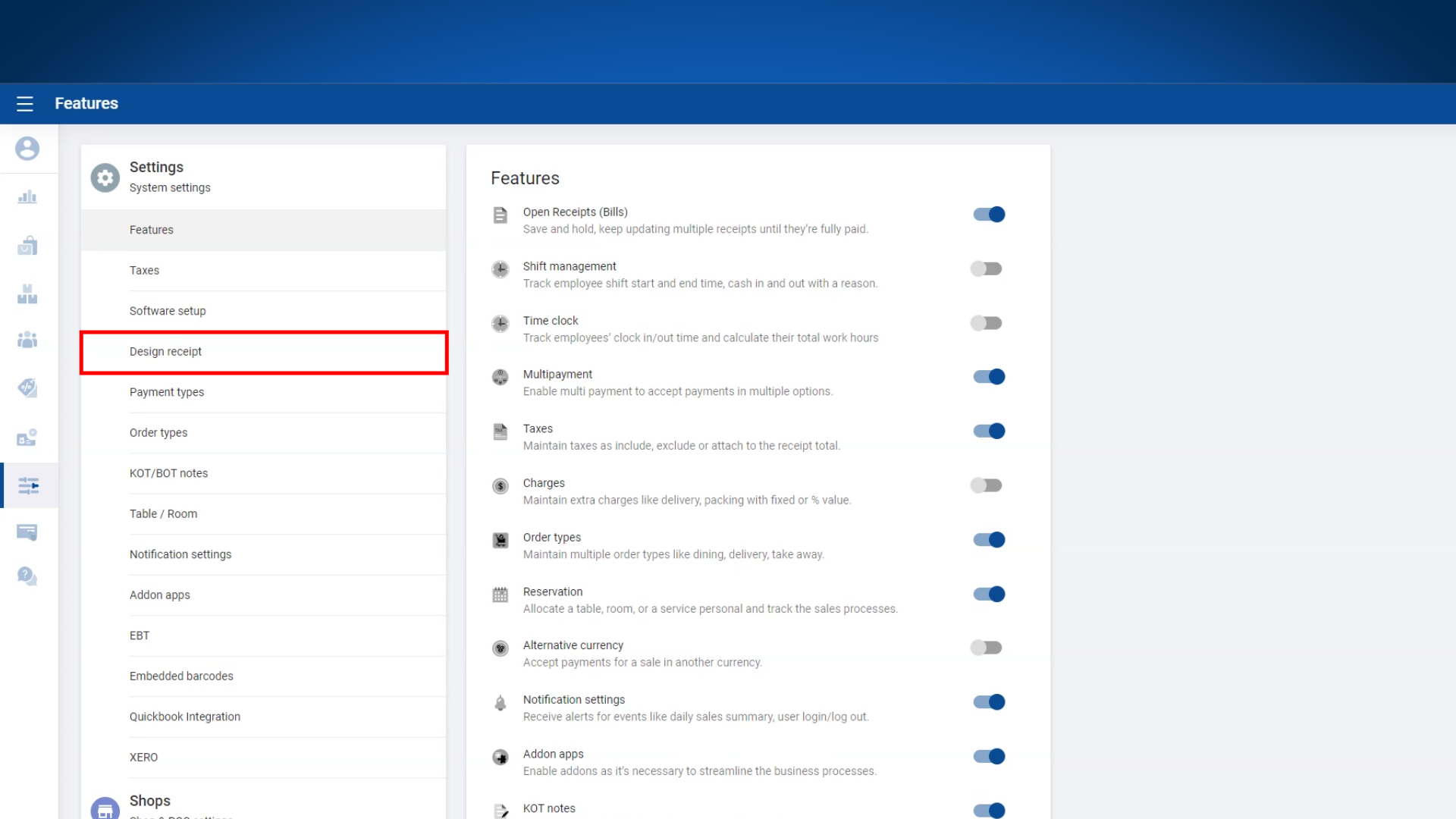
1. Login to POS Back Office > Select “ Settings ” from main menu > Click on 'Design receipt'
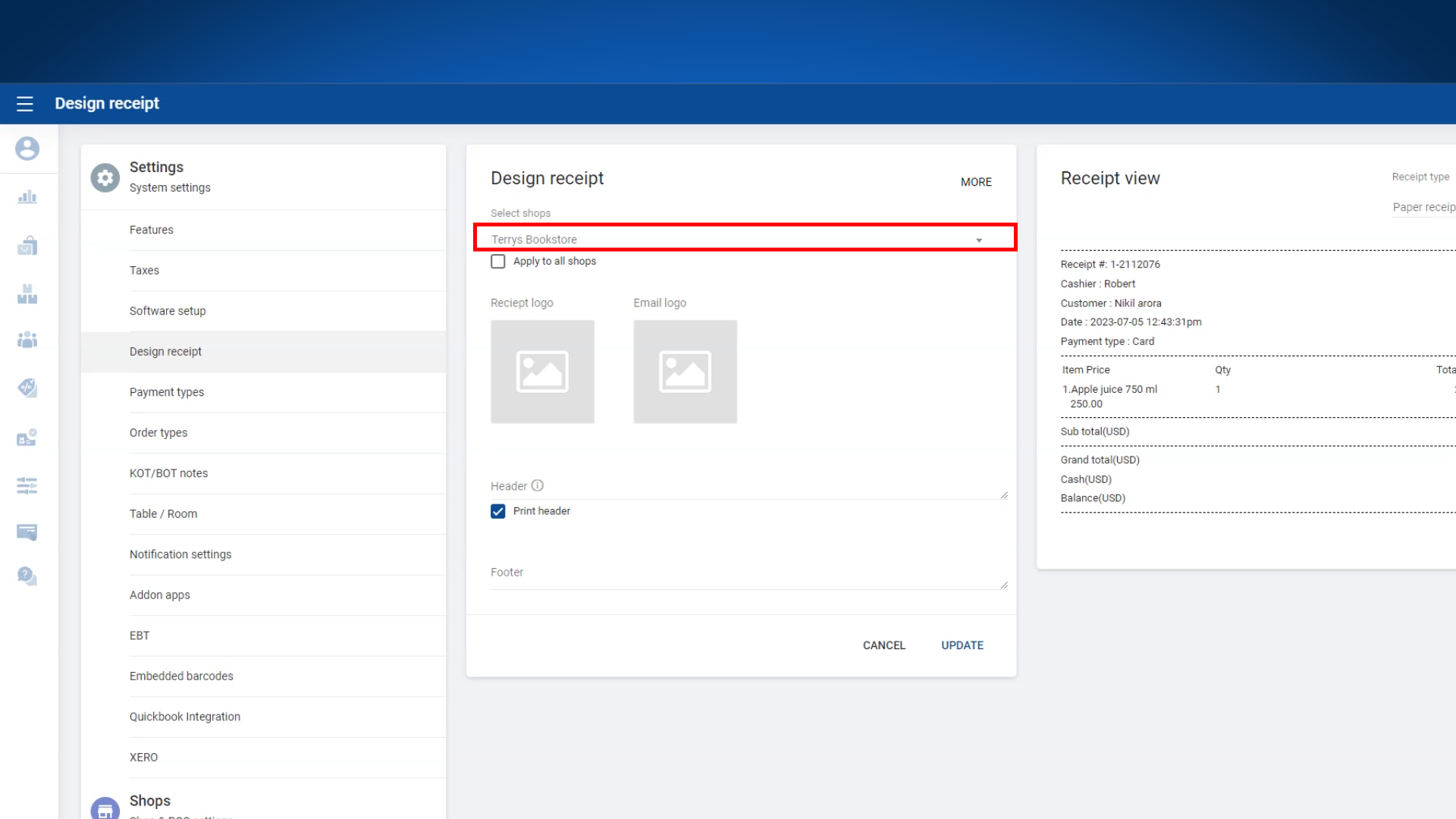
2. Select relevant shop(s) from the drop down menu
3.1 Receipt logos
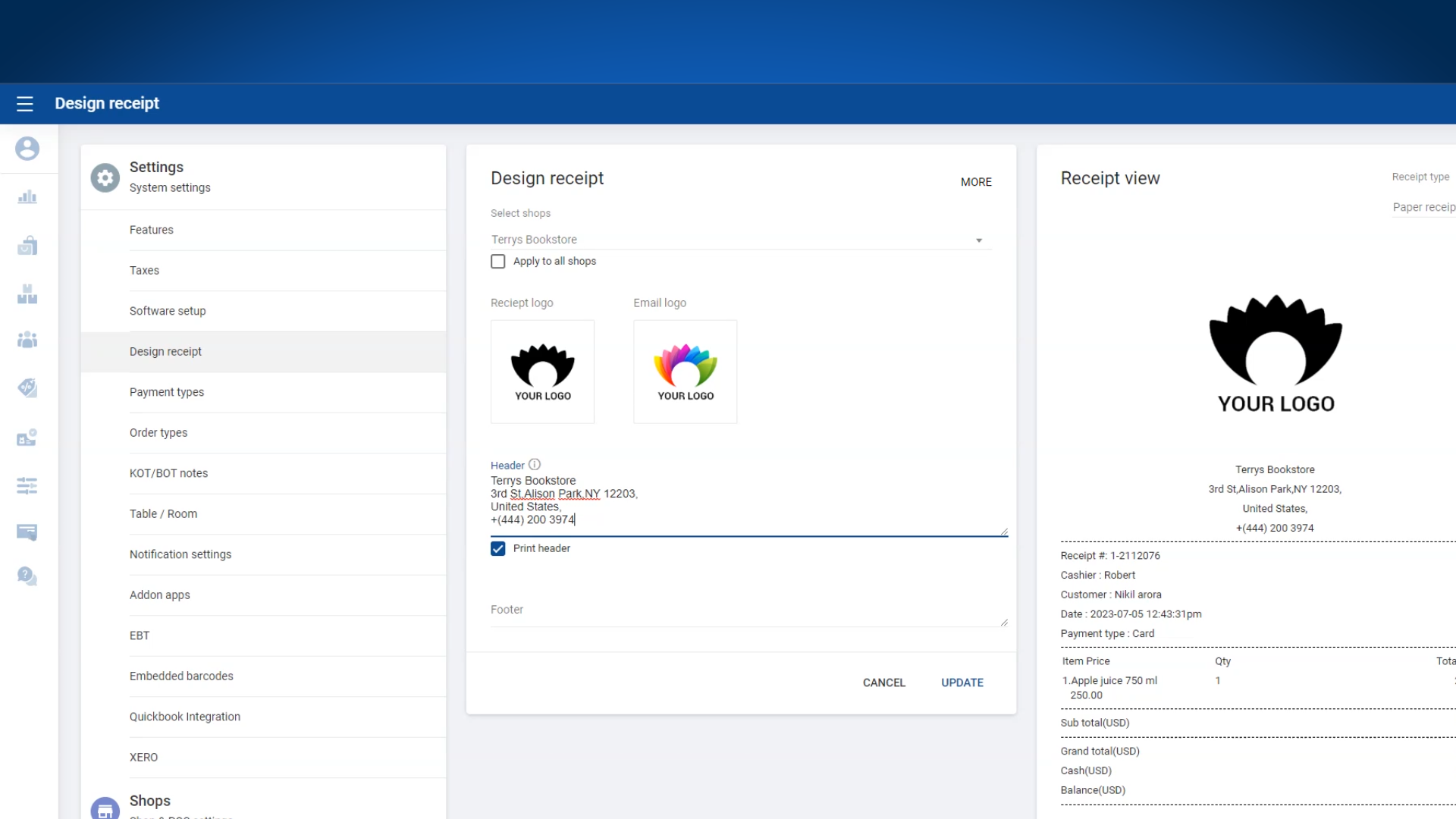
- For the paper logo, we recommend uploading a black and white version, while for the email logo, you can use a color image.
4. Enter Header Text
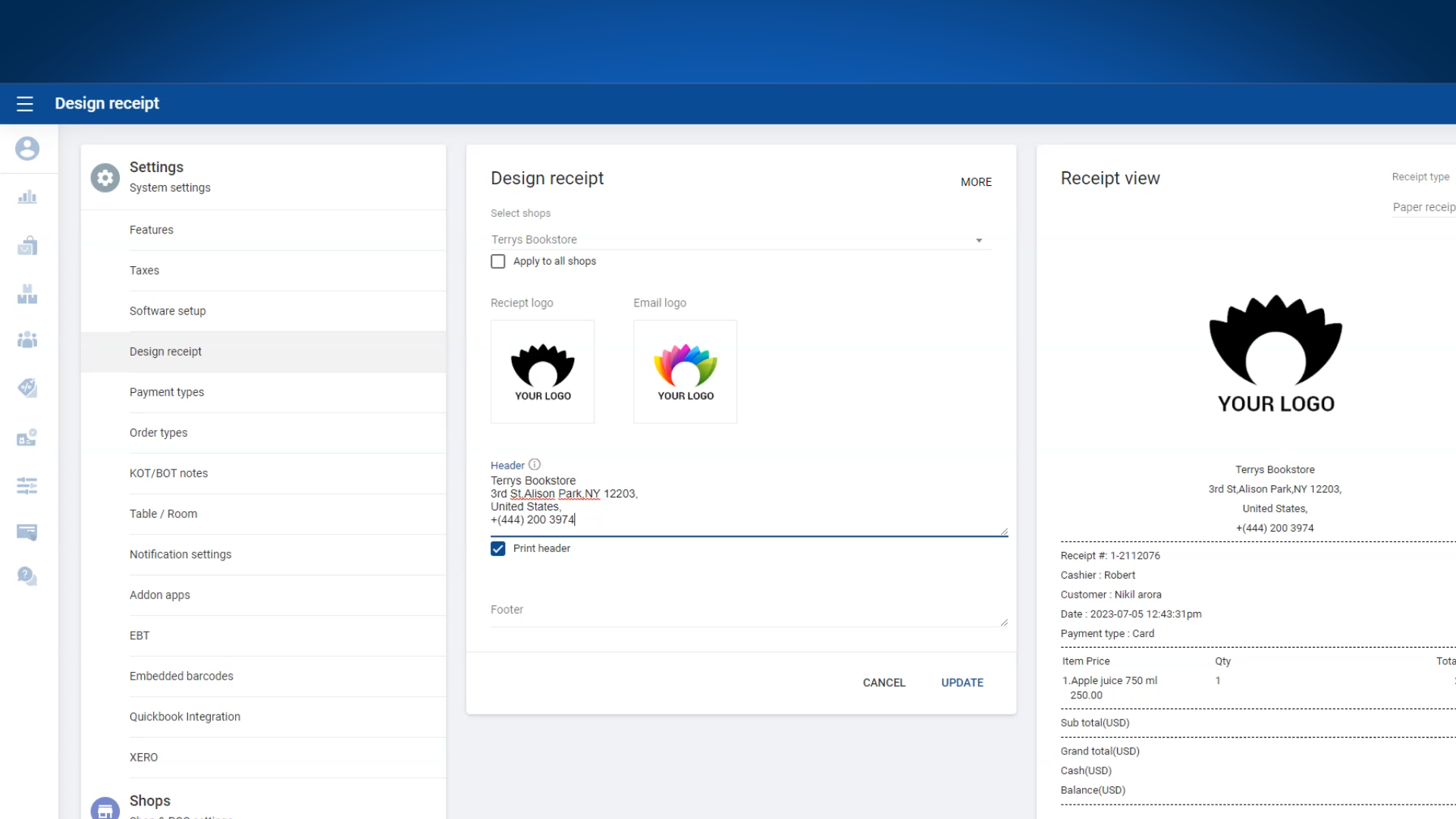
Enter Footer Text
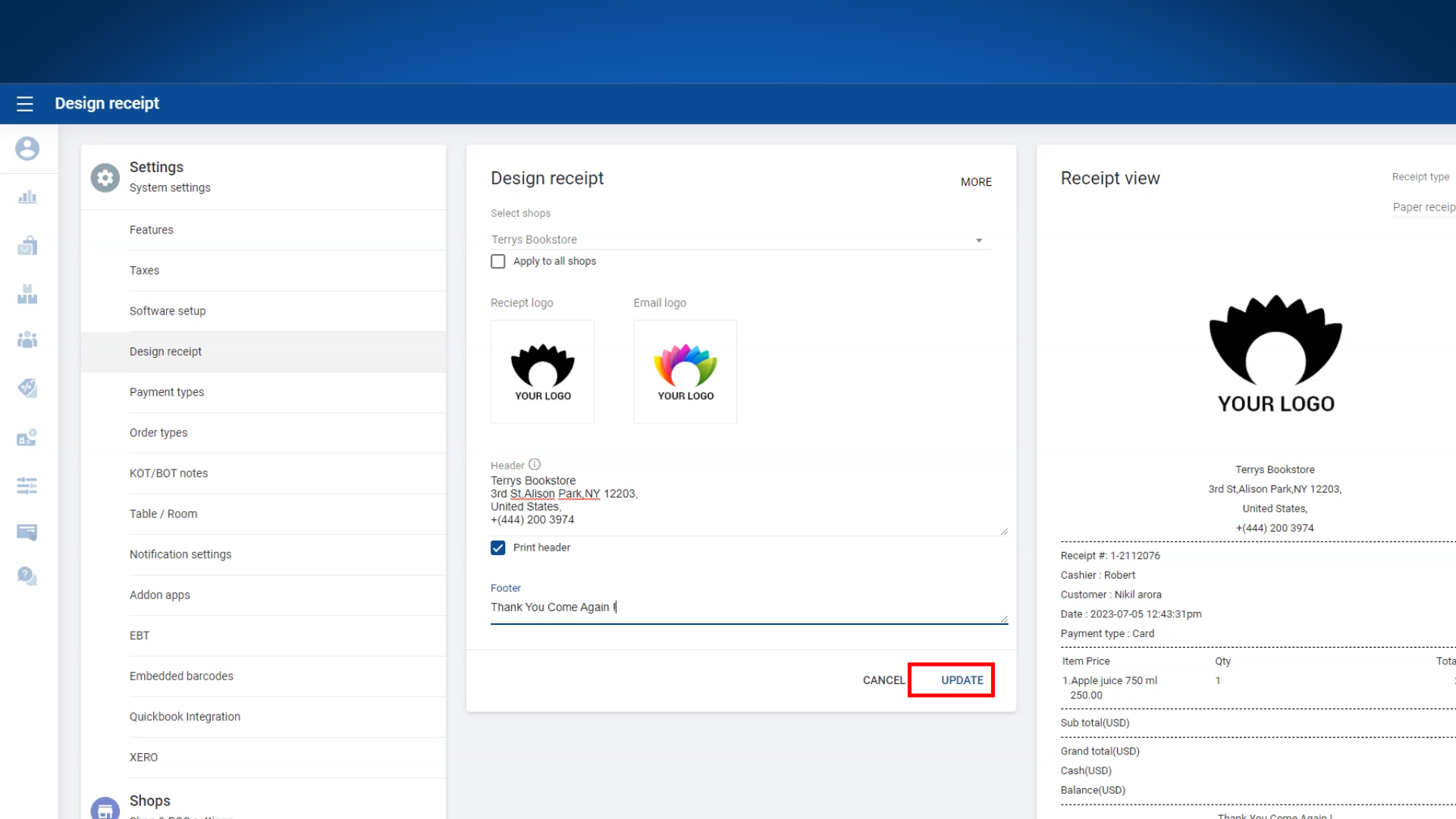
- Click 'UPDATE'.
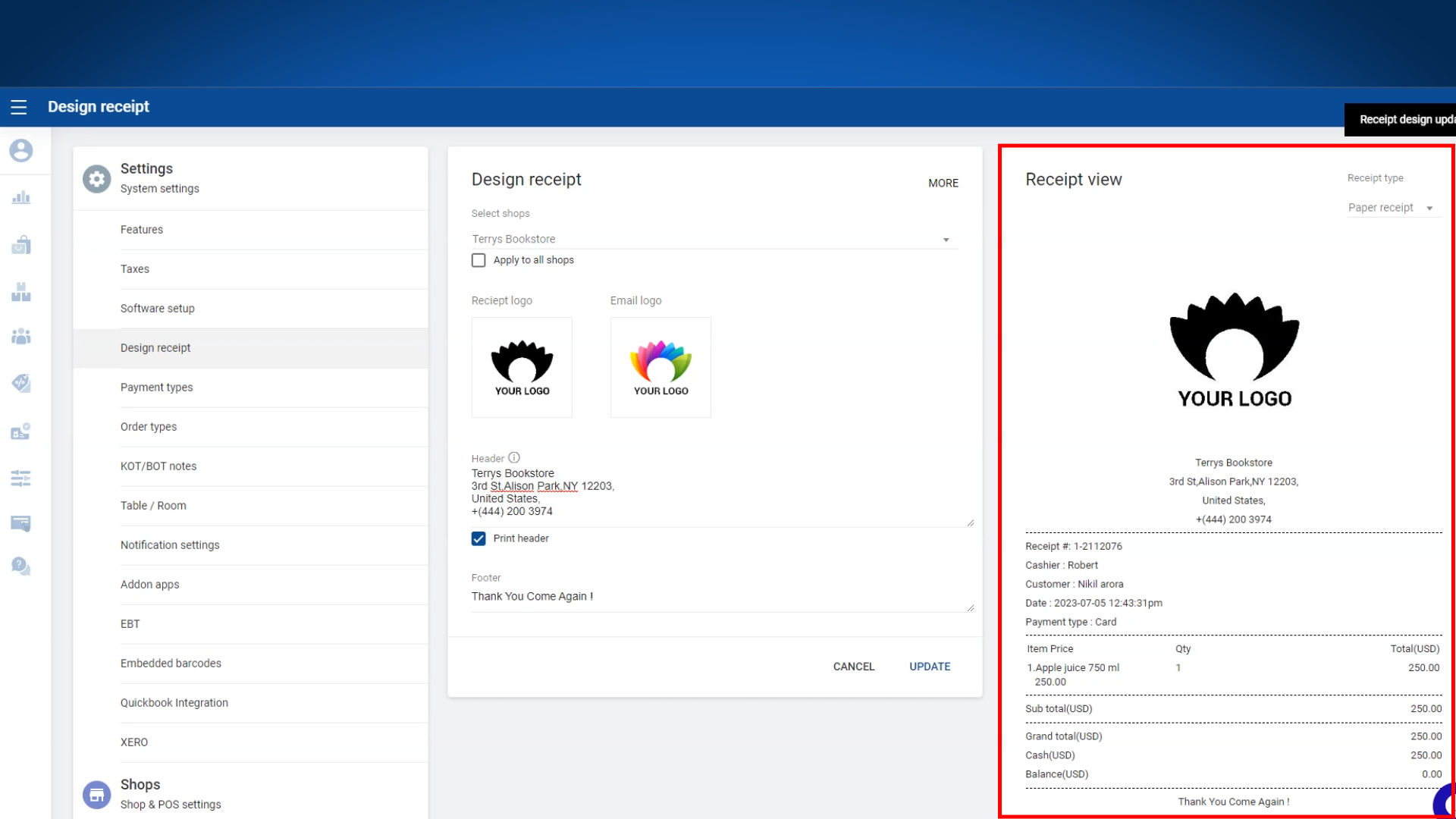
Paper Receipt View
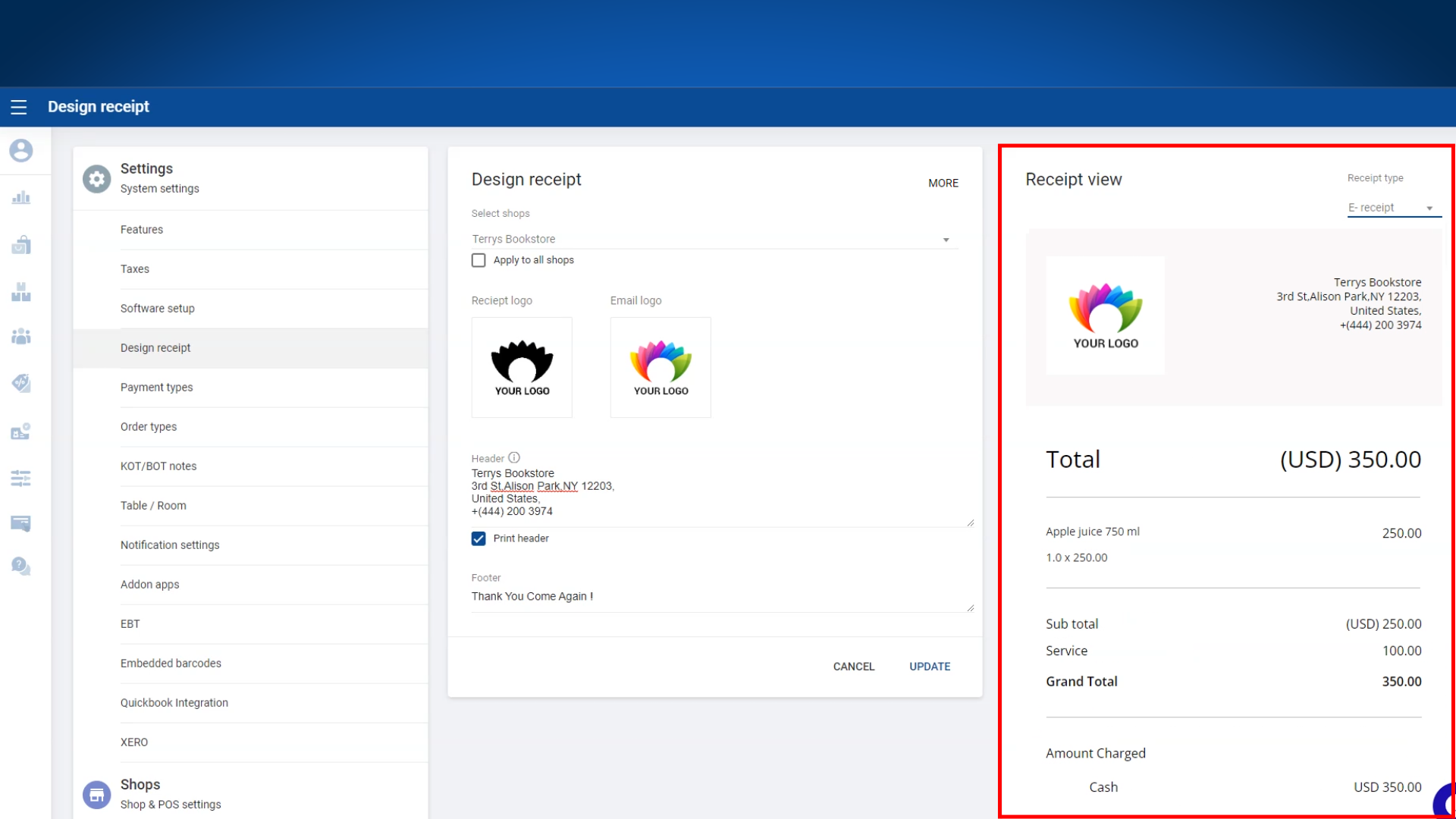
E-Receipt View
E-Receipt View
Was this article helpful? Tell our team what was missing.
Send us feedback