
How to Set Up Styled KOT
Introduction
- Incorporating the Styled KOT feature into your POS system is a practical step toward improving kitchen operations. The enhanced visibility of critical information ensures that your kitchen staff can work efficiently, ultimately leading to a smoother and error-free dining experience for your customers.
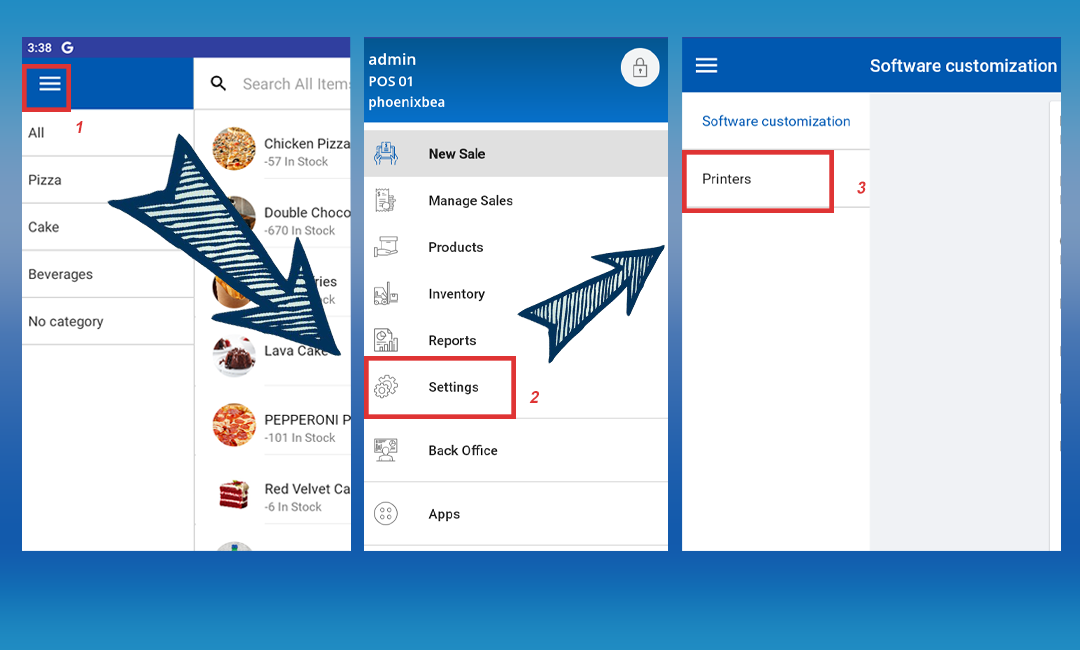
POS App main menu > Select “ Settings ” > Select “Printers”
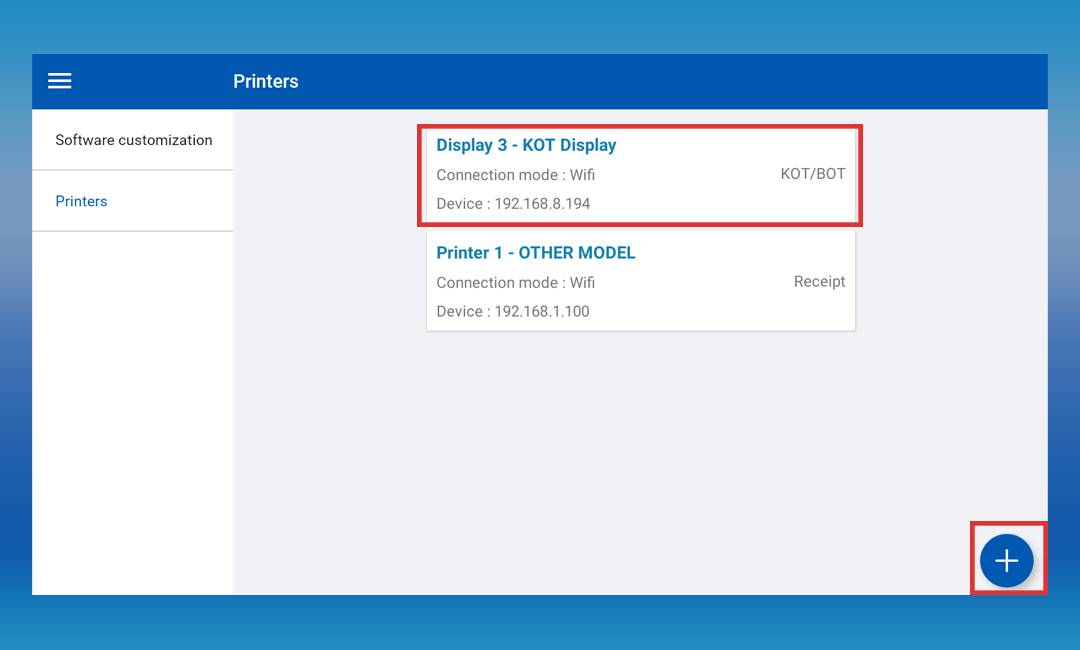
Click on the already created printer or click the “Add" (+) button
Tick On “Styled KOT”
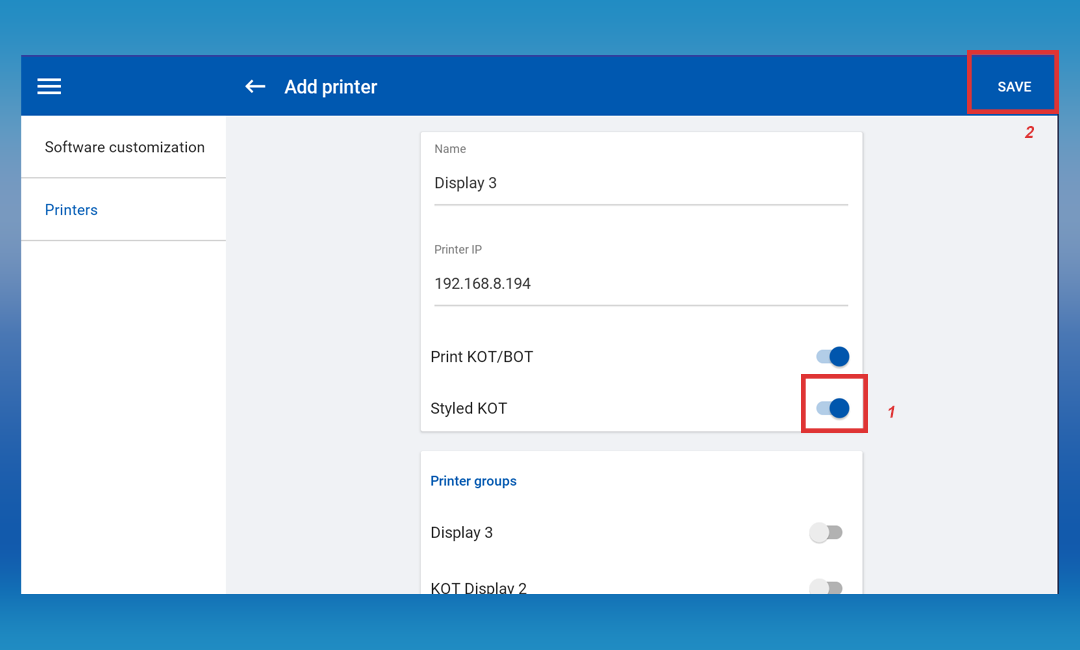
- Click 'SAVE'
Related Help Articles
Was this article helpful? Tell our team what was missing.
Send us feedback