
How to Sign in with Easy POS Web POS
Easy POS Web POS
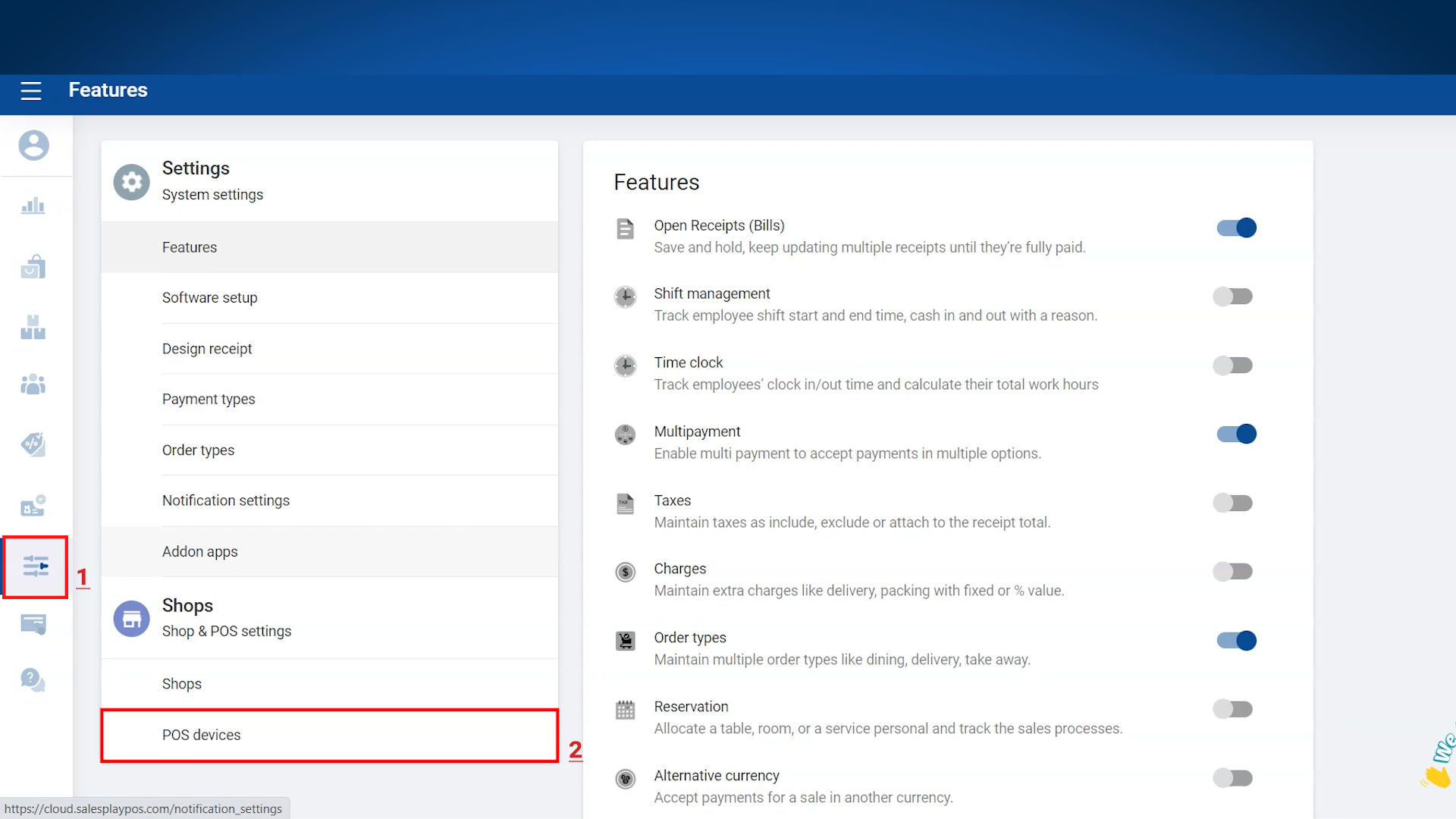
- Users have the option to access Easy POS Web POS directly through the Easy POS Backoffice. This can be easily accomplished by navigating to the "Settings" menu and selecting the "POS devices" section. Additionally, users can conveniently copy the web app's URL and bookmark it for quick and automated login purposes.
1.Login to Easy POS Back Office > Select “ Settings ” from main menu > Go to the “ POS Devices”
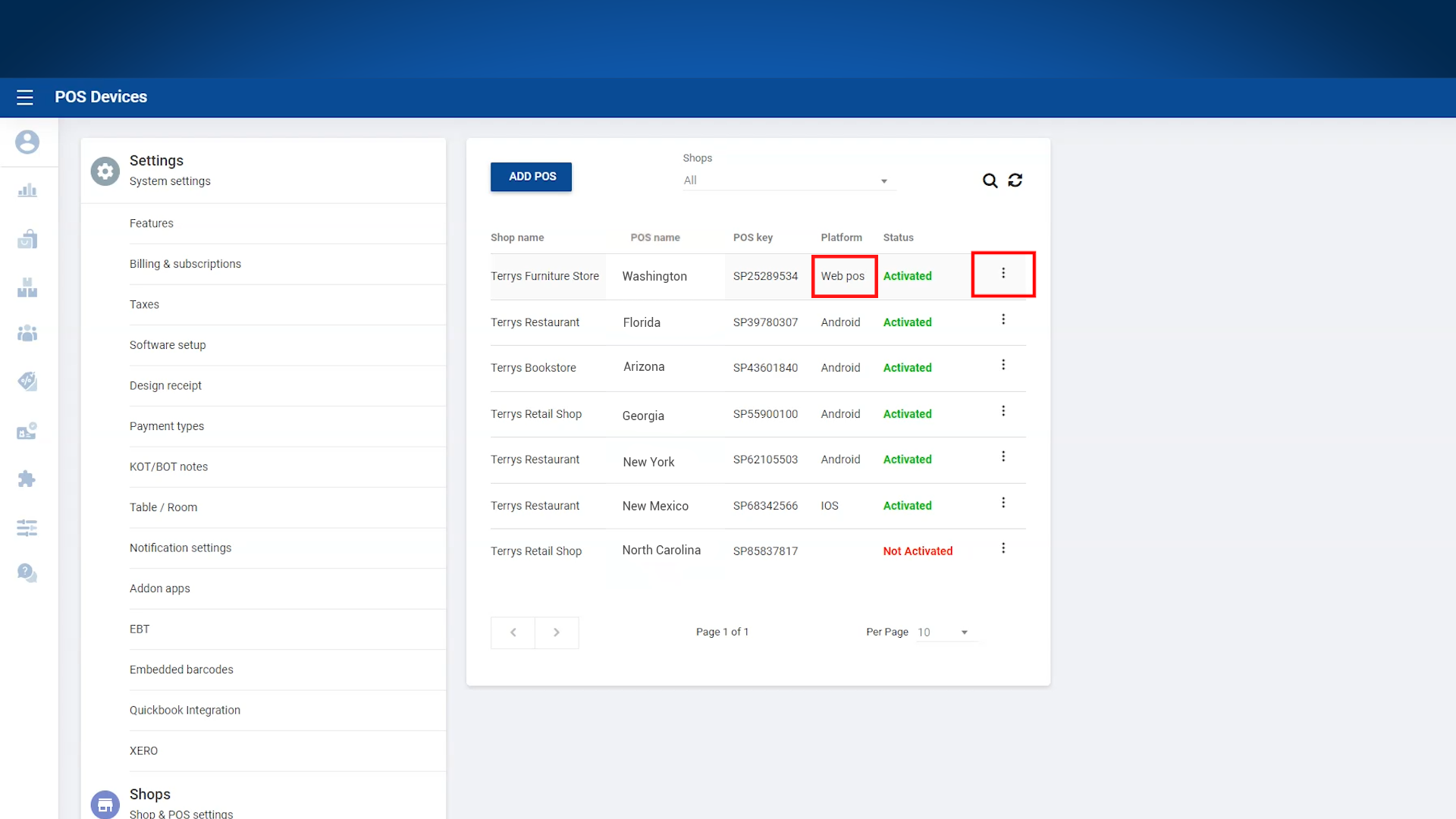
2. Select the platform “Web POS” > Click 3-dot button near status
3.Click “ Open Web POS”
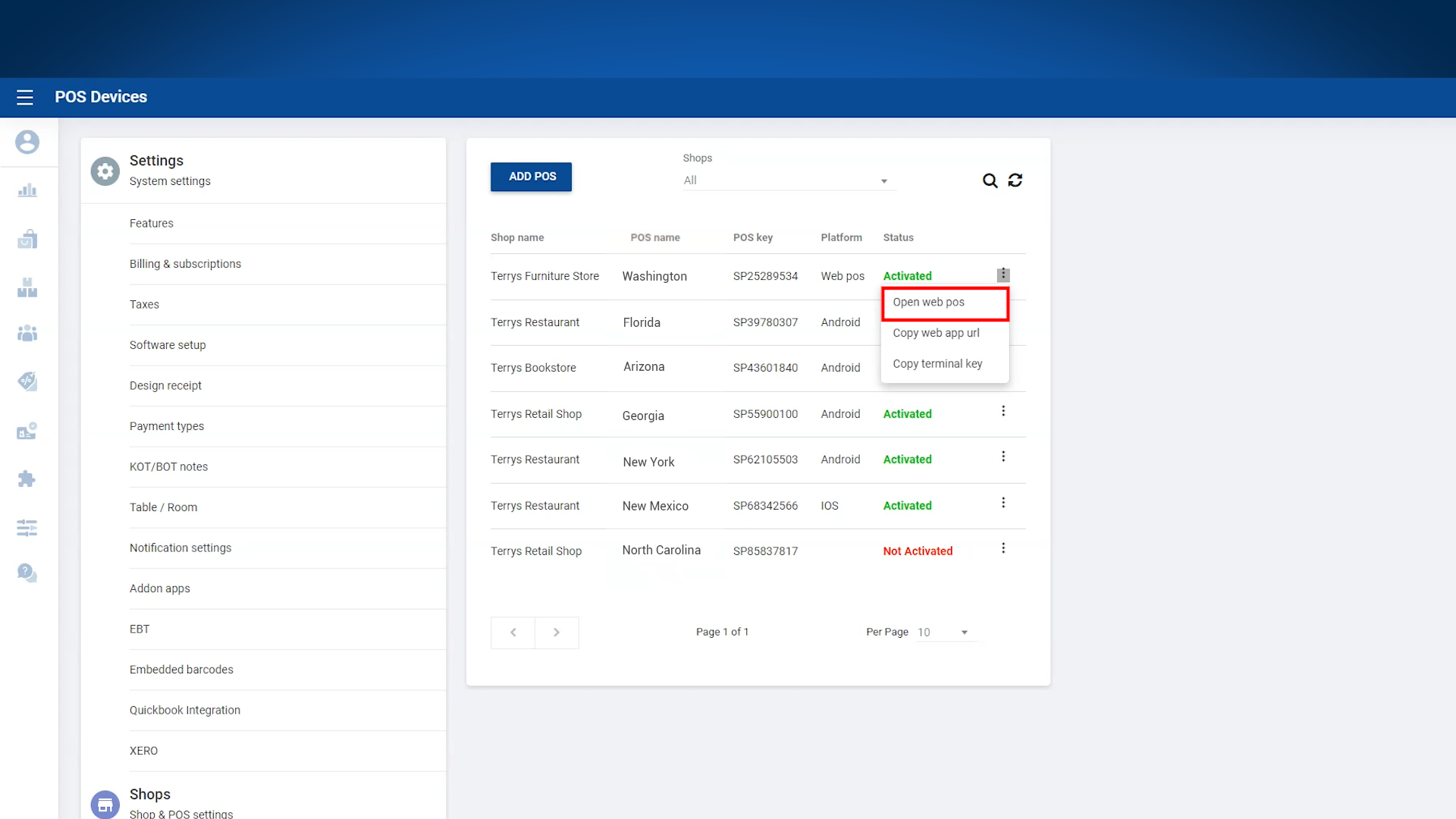
- The Web App URL will only appear within the Web POS Platform.
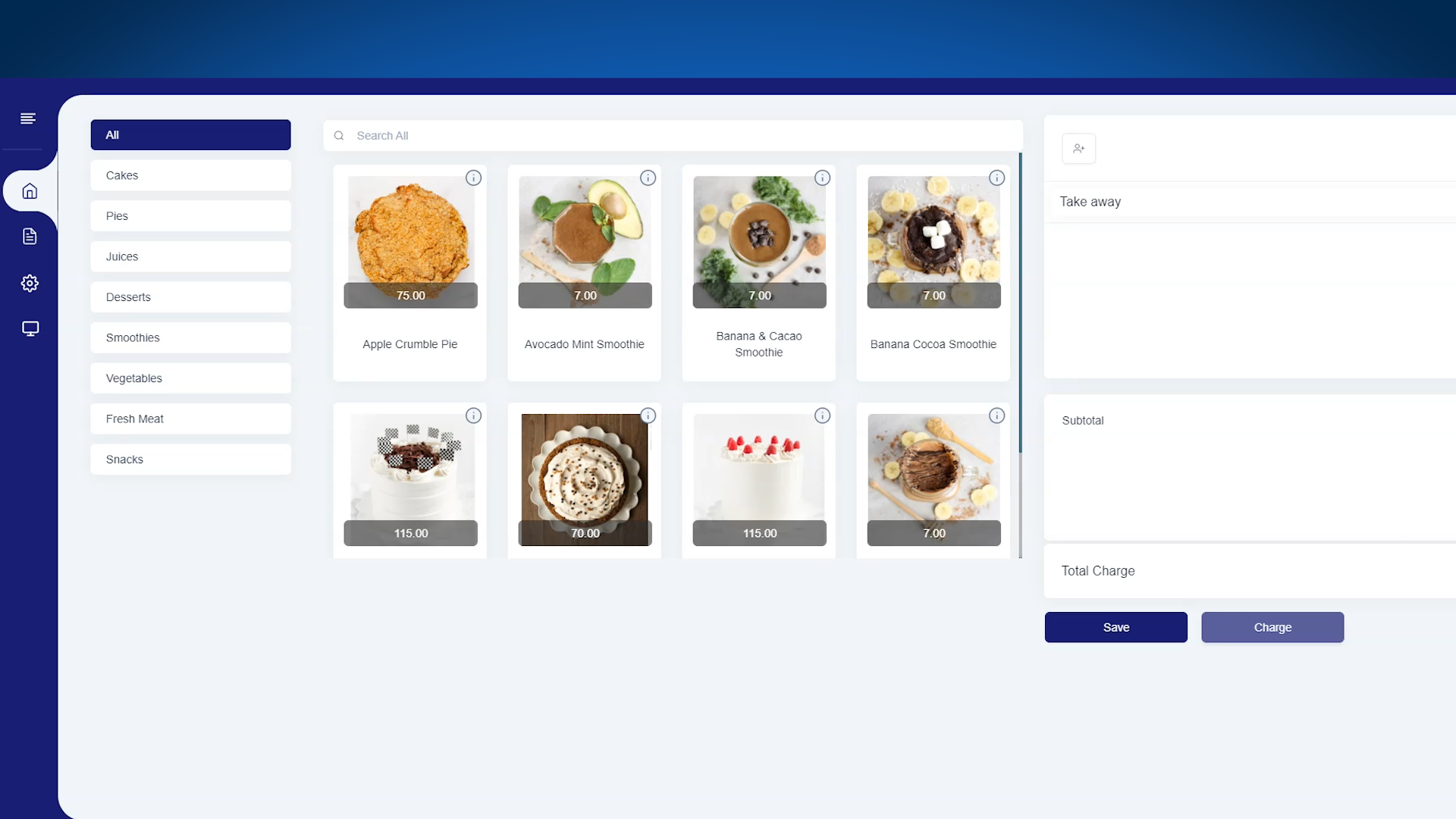
4. You will automatically sign into Web POS.
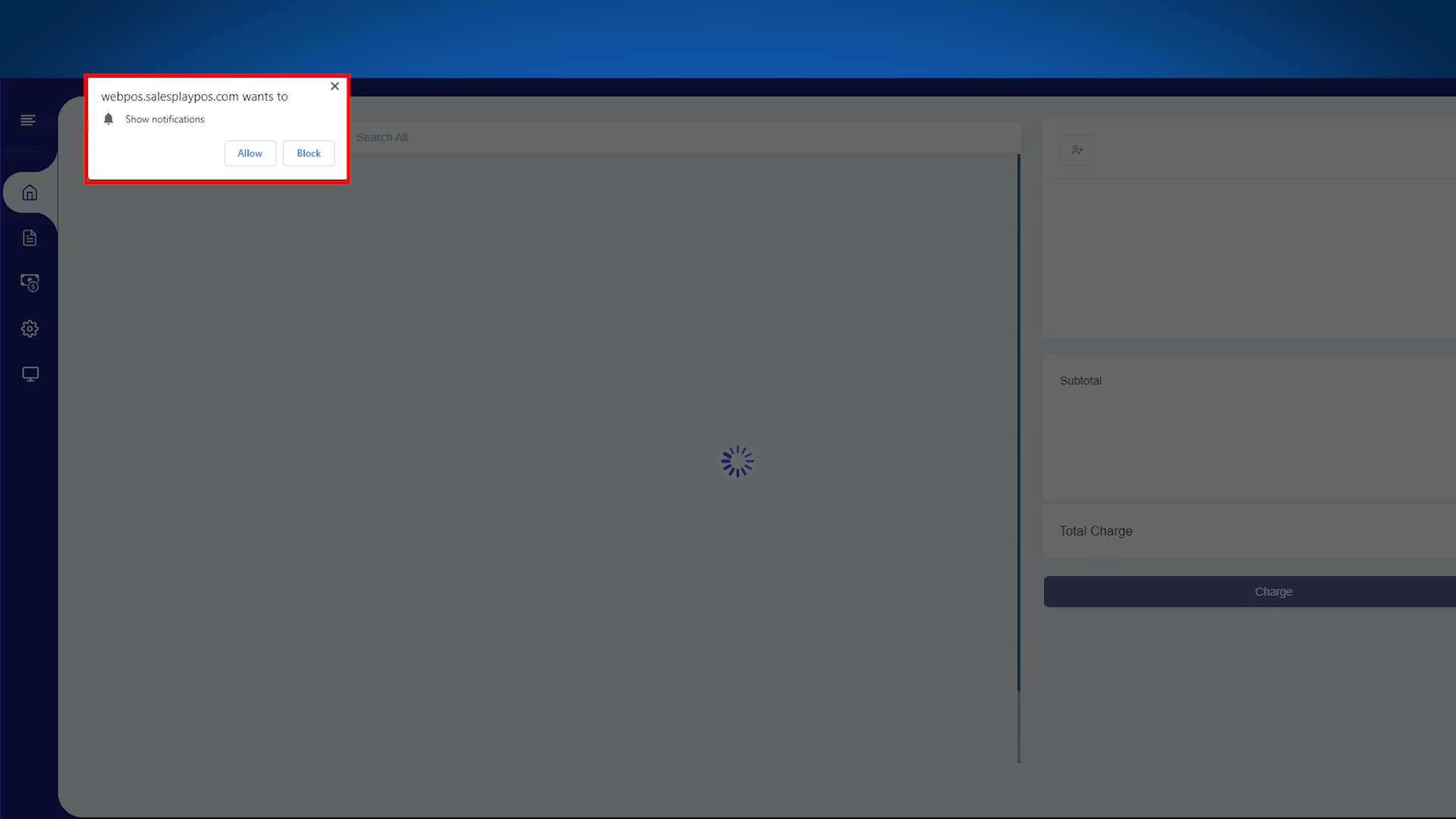
- Allow notifications.
5. Successfully signed in.
Related Help Articles
How to Enable the EXE File Option: How to Sign in with Easy POS Web POS How to register Easy POS via Website and Sign-in process
Was this article helpful? Tell our team what was missing.
Send us feedback