
How to Merge Tables in Web POS App
1. How to Merge Tables in Web POS App
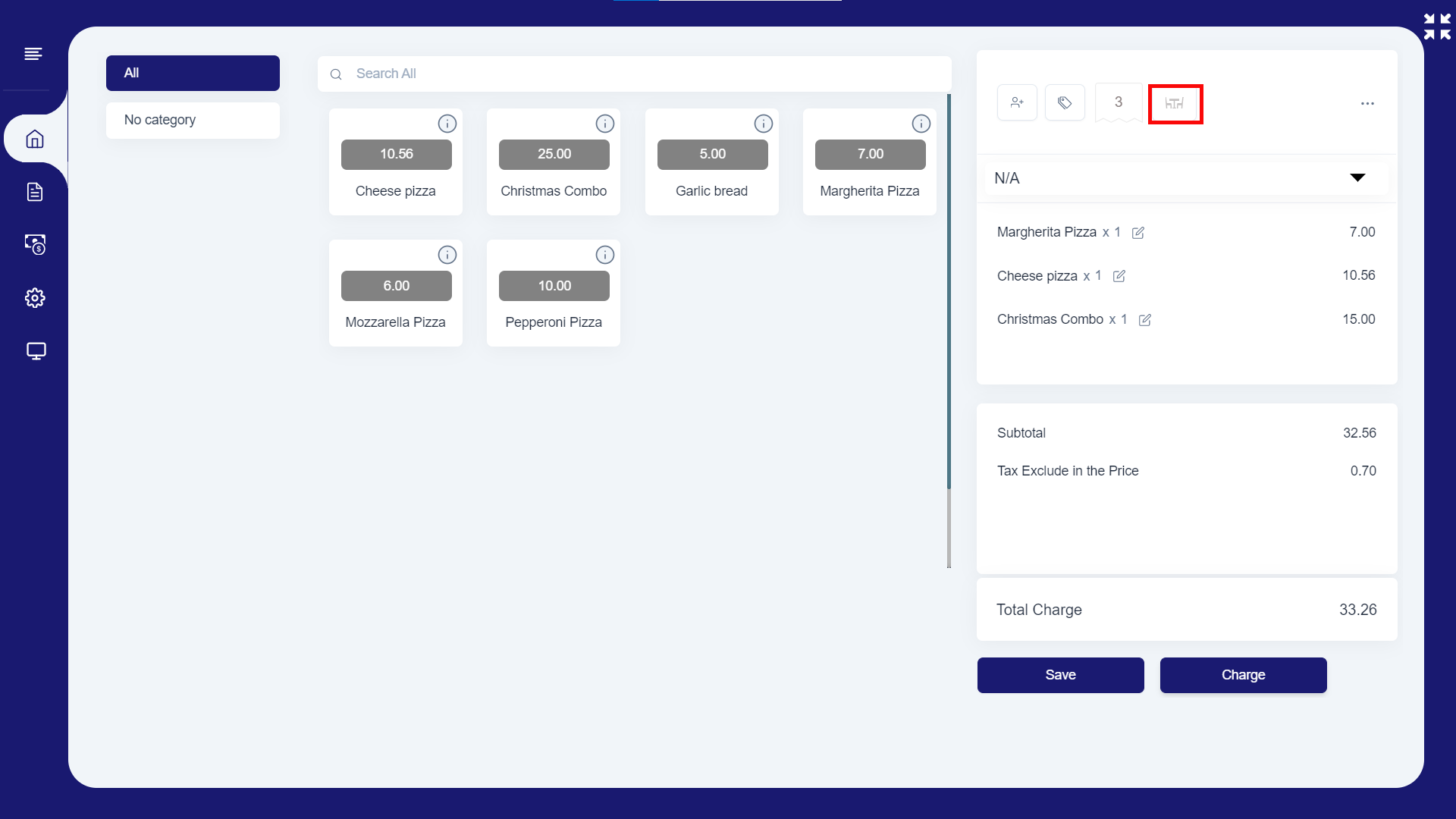
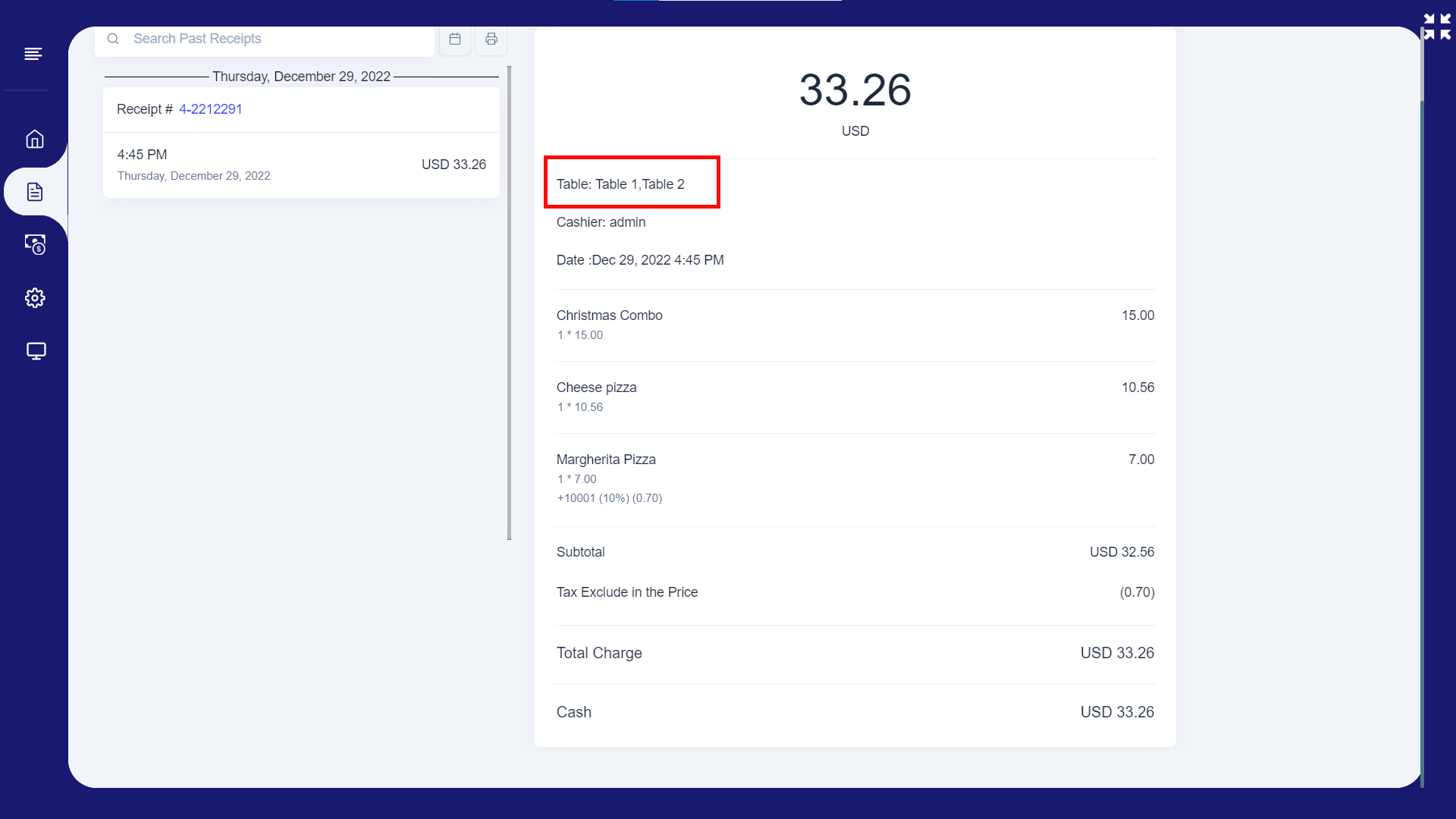
- In Web app, you can allow customers to reserve several tables and settle all tables’ bills in to one bill.
- Login to web app and select the items
- Then click the 'Table reservation' button as in the image
2. How to Merge Tables in Web POS App
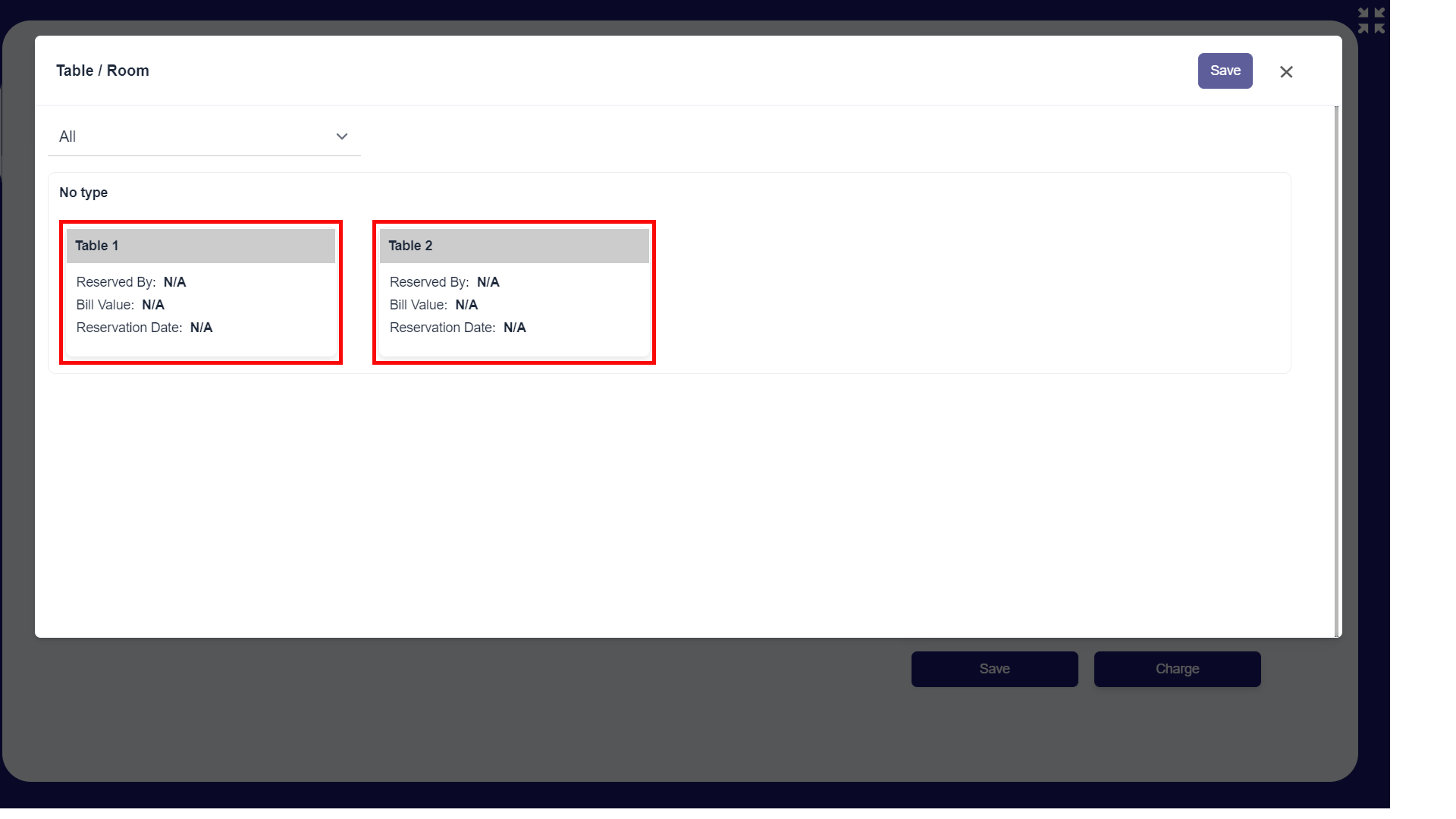
- Tap on the tables you want to select.
3. How to Merge Tables in Web POS App
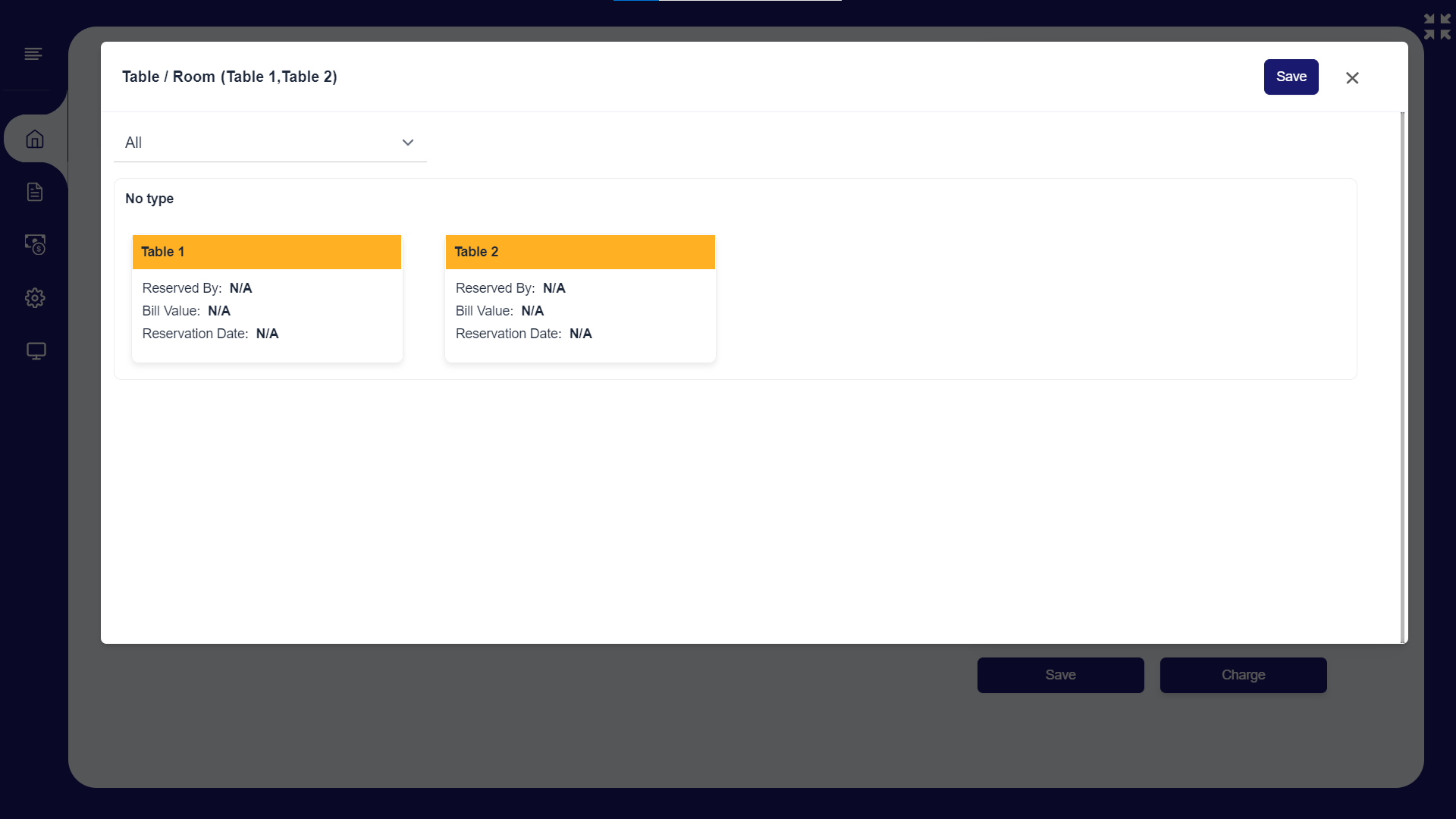
- Click 'Save'.
4. How to Merge Tables in Web POS App
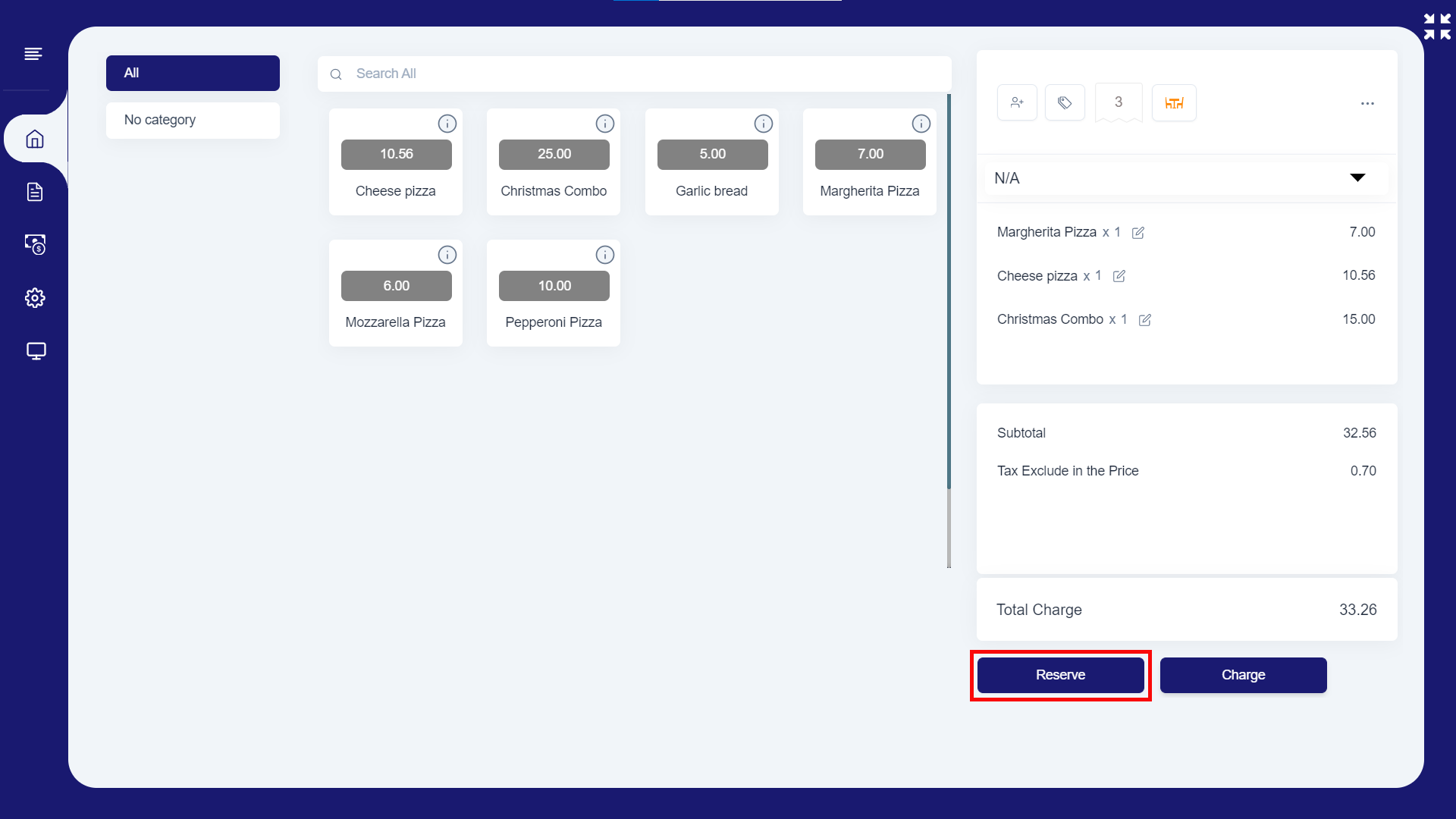
- Click 'Reserve' to reserve the table and to save the bill.
5. How to Merge Tables in Web POS App
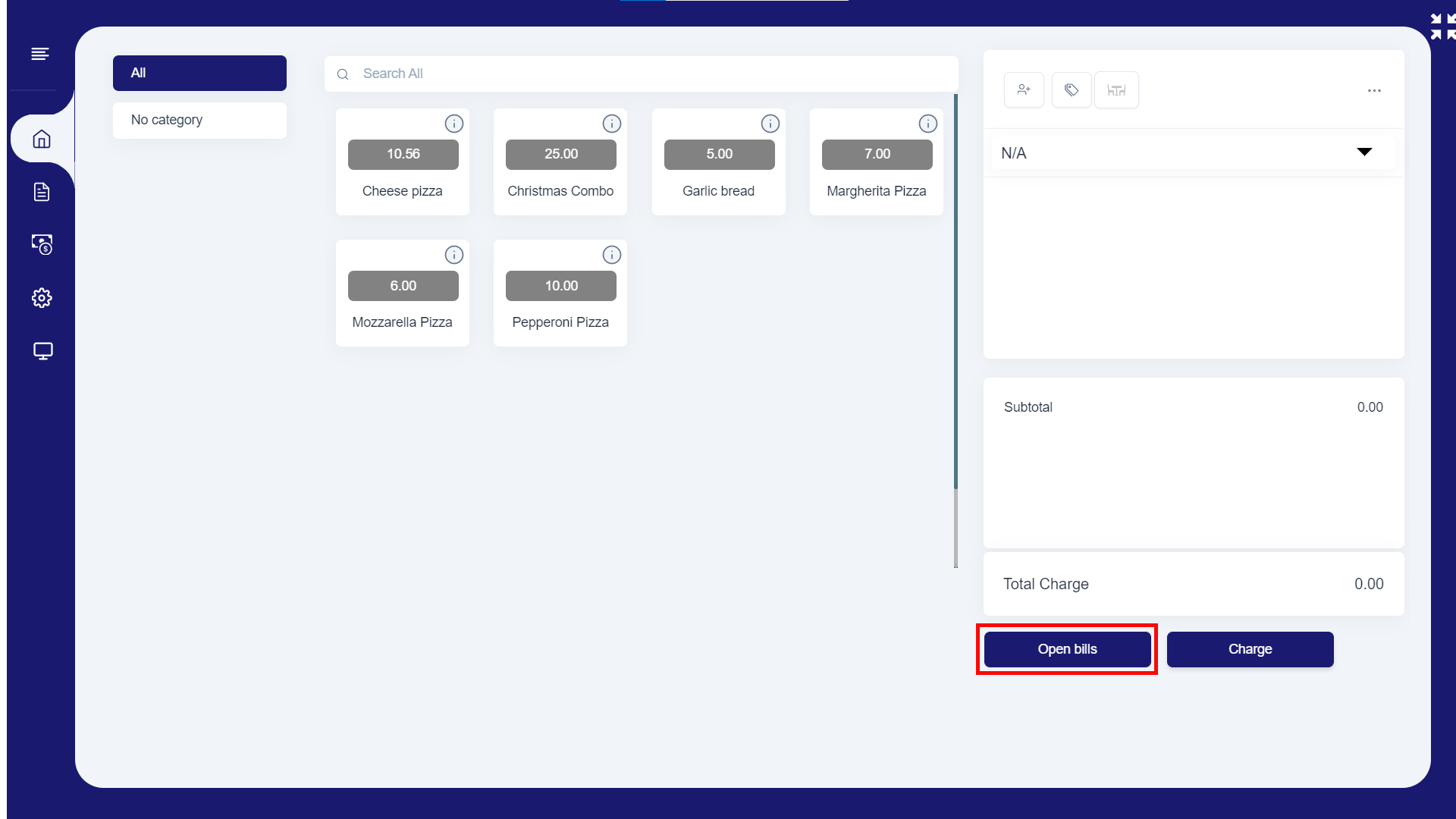
- Once the customer is ready to pay,
- Click 'Open bills'
6. How to Merge Tables in Web POS App
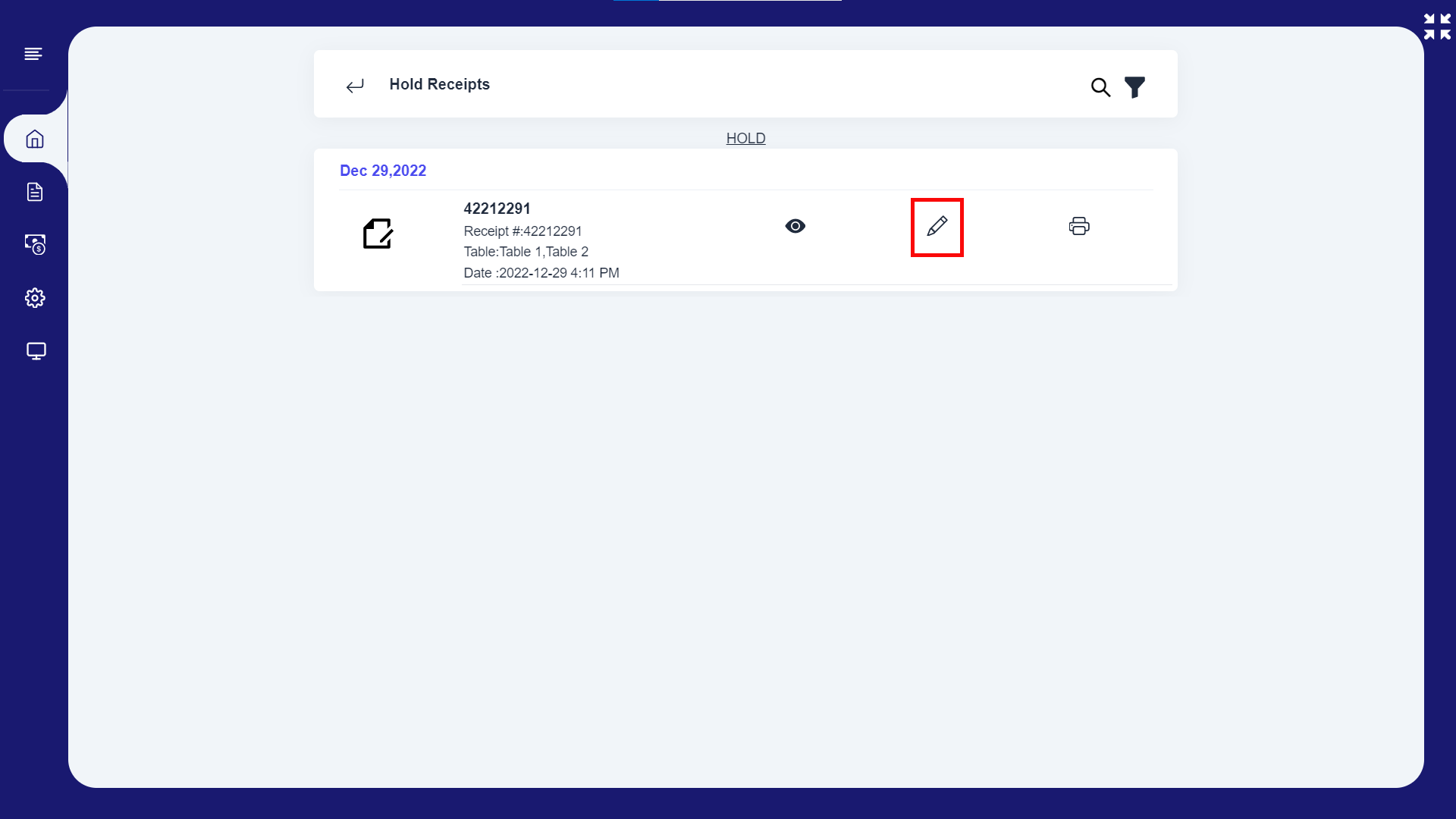
- Then select the 'Edit' button as in this image.
7.How to Merge Tables in Web POS App
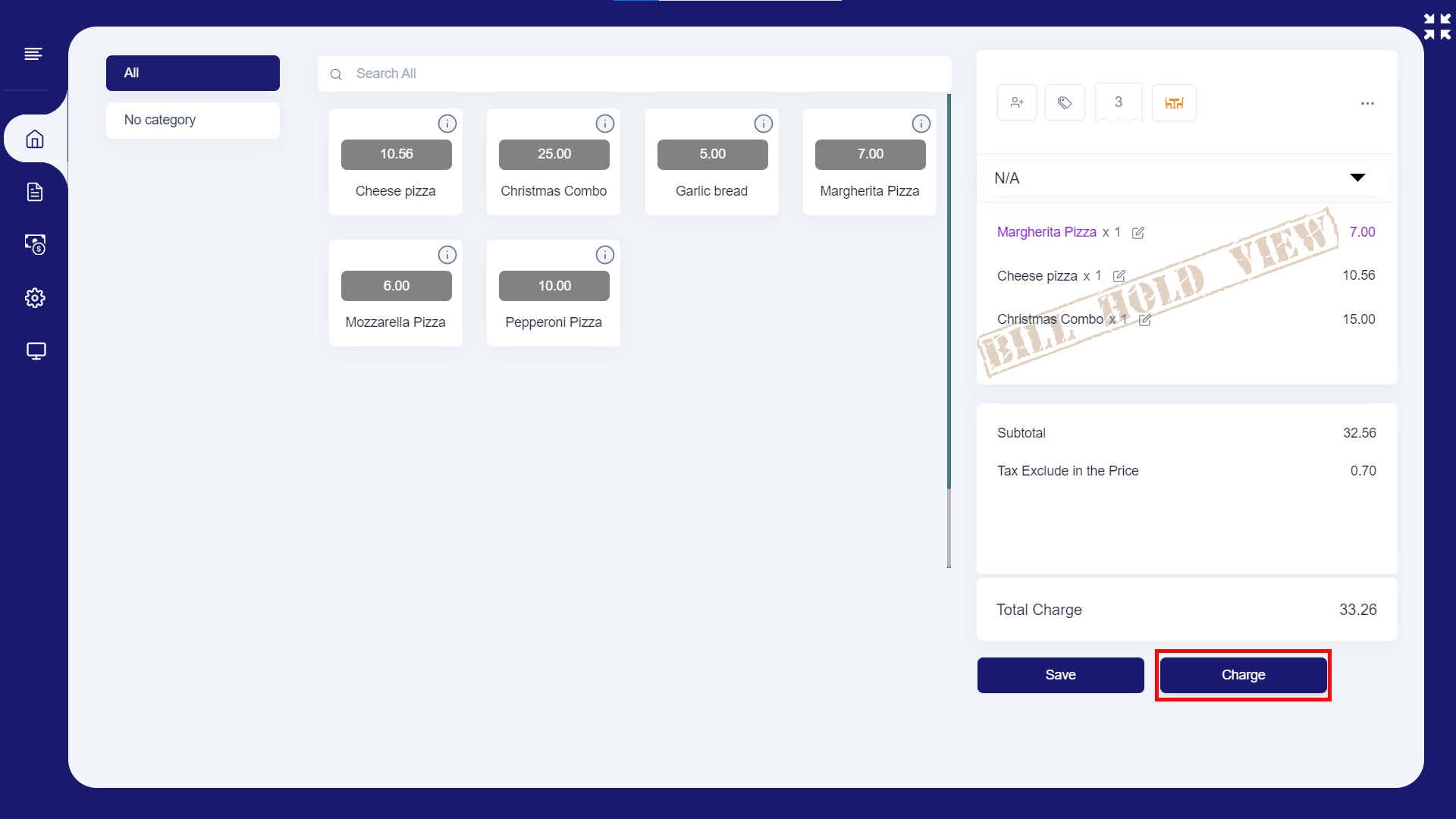
- Click 'Charge' to proceed the payment.
8.How to Merge Tables in Web POS App
Was this article helpful? Tell our team what was missing.
Send us feedback