
How to Create Modifiers
1. Go to Easy POS Back Office > Products > Modifiers
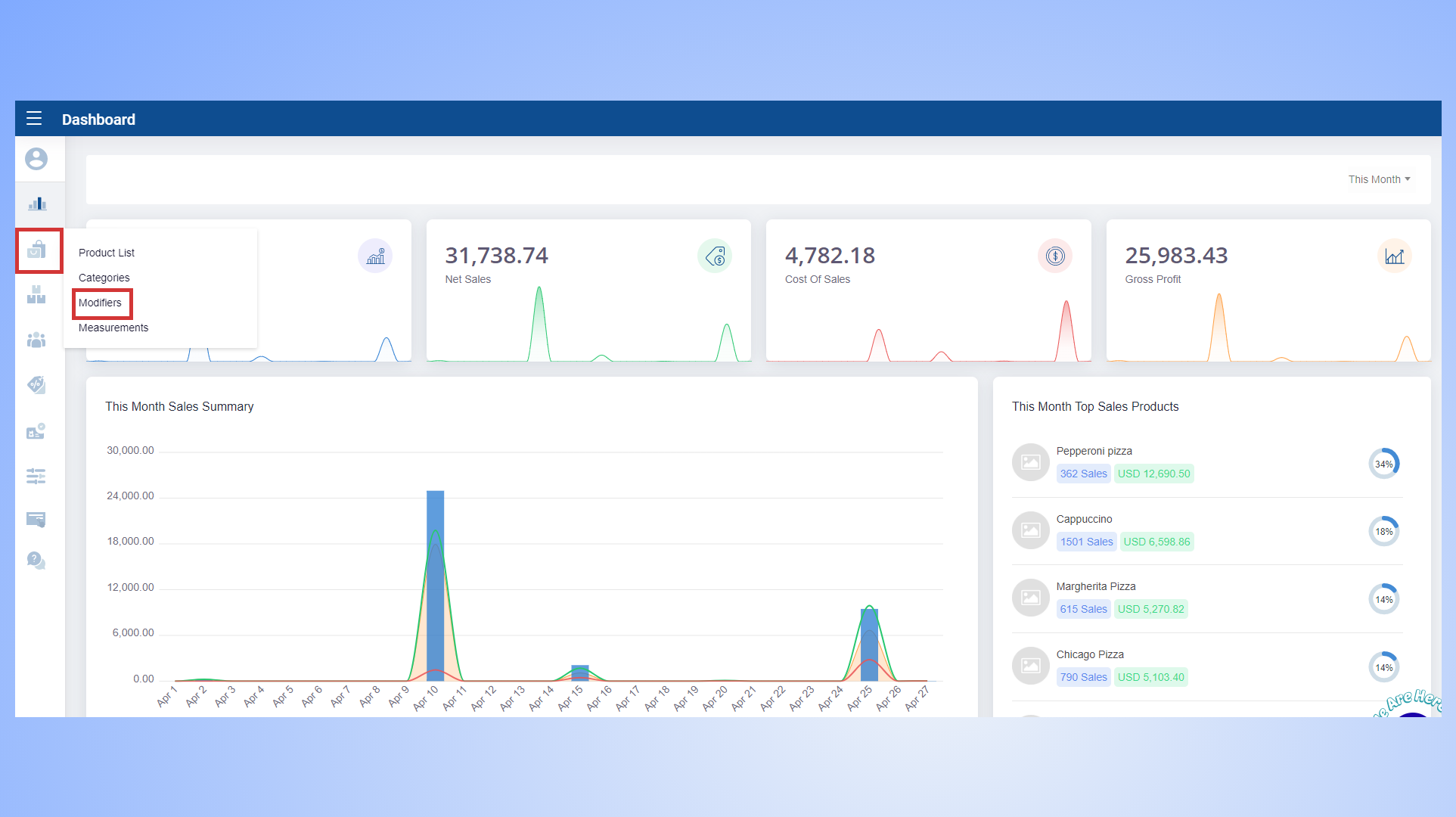
- Modifiers allow customers to tailor their order to their personal preferences or dietary restrictions, making the dining experience more enjoyable.
2. Give the modifier group, a name Ex : Choice of protein > Add the modifiers one by one, with cost and price.
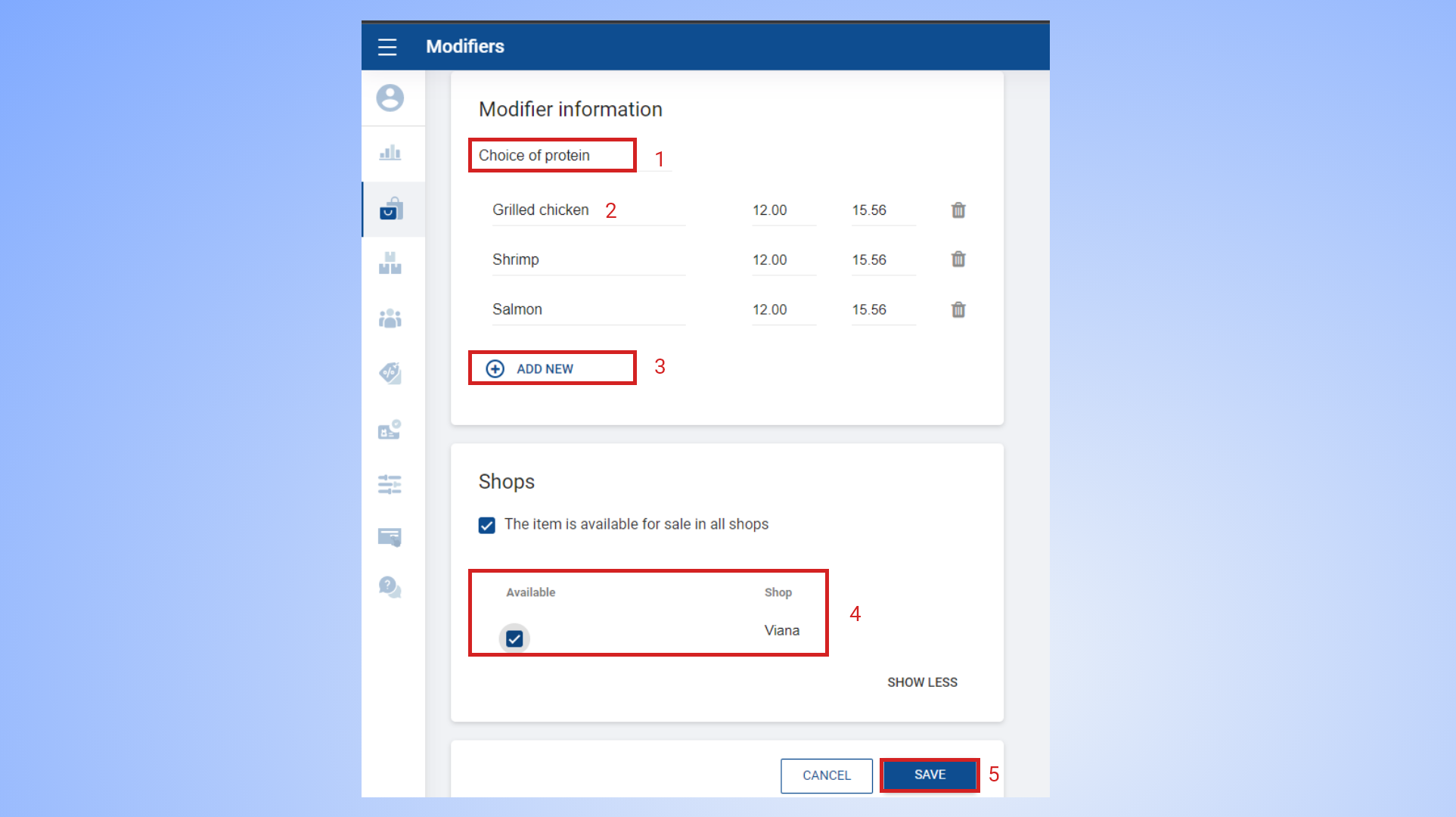
- To add a new modifier to the group, click the '+ ADD NEW' button.
- Select the shop(s), the modifiers are available.
- Save the changes.
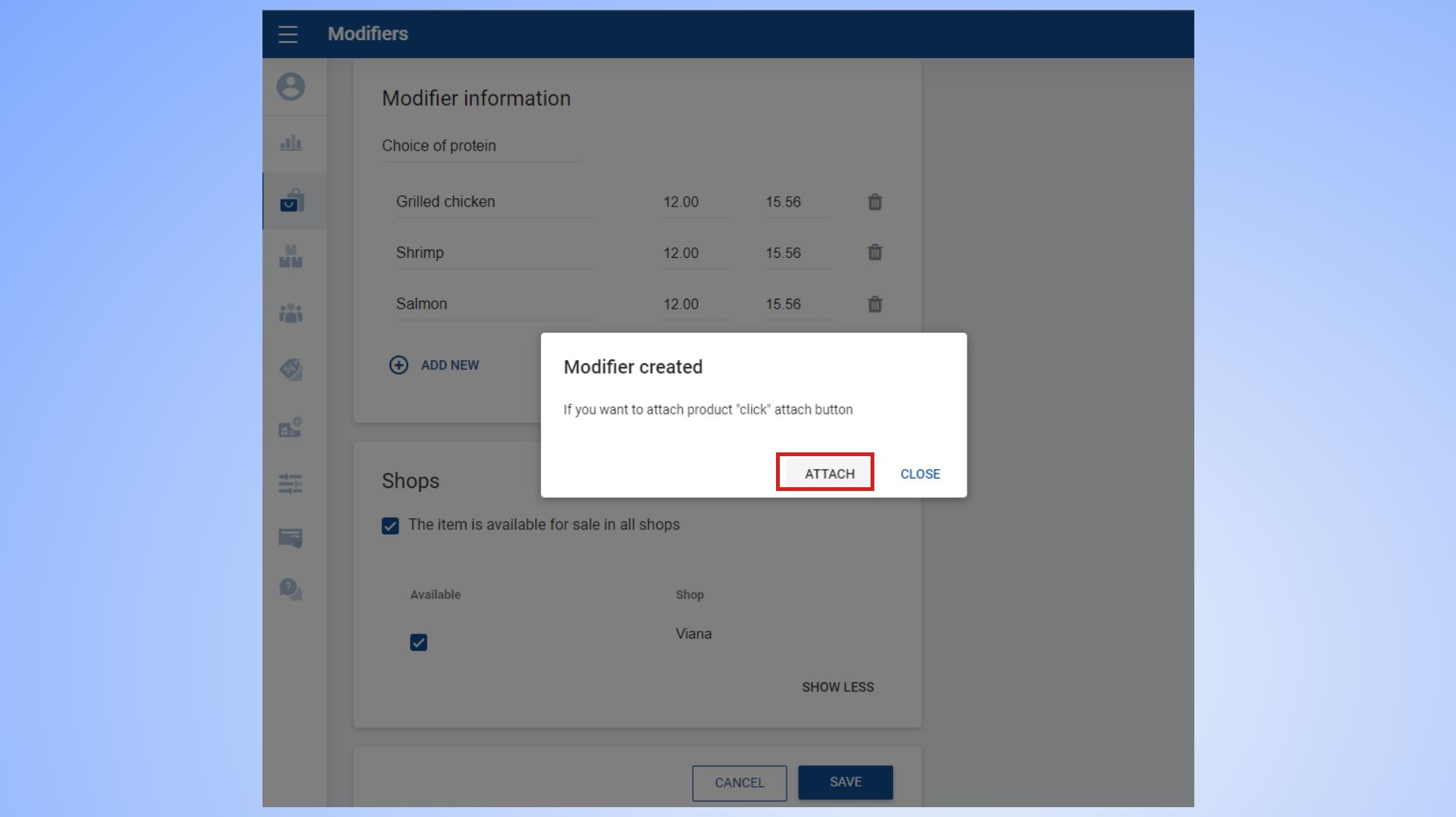
- Once you click the save button, a window will appear, allowing you to attach the products to the modifier group.
3. Click 'ATTACH'.
4. Now you can tick the check-boxes and select the products which you want to attach.
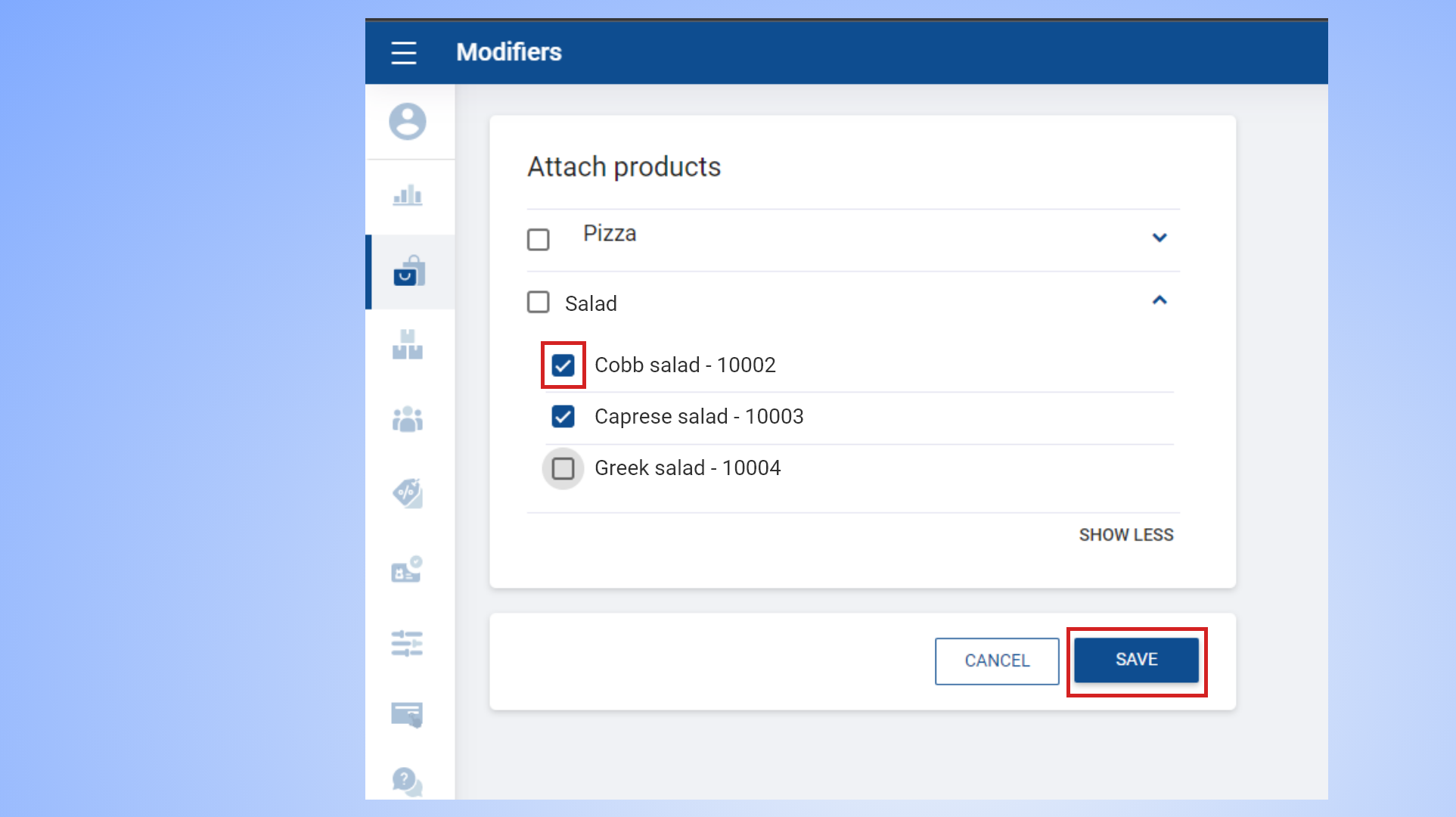
- You can select the category, or select the products of a category one by one(Click on the downwards arrow to view the products) .
- Click Save.
Was this article helpful? Tell our team what was missing.
Send us feedback