
Adding a Customer Directly in Easy POS Without Accessing the "Customer Profile" Page
1. How to Add Customer to the Receipt / Bill Quickly
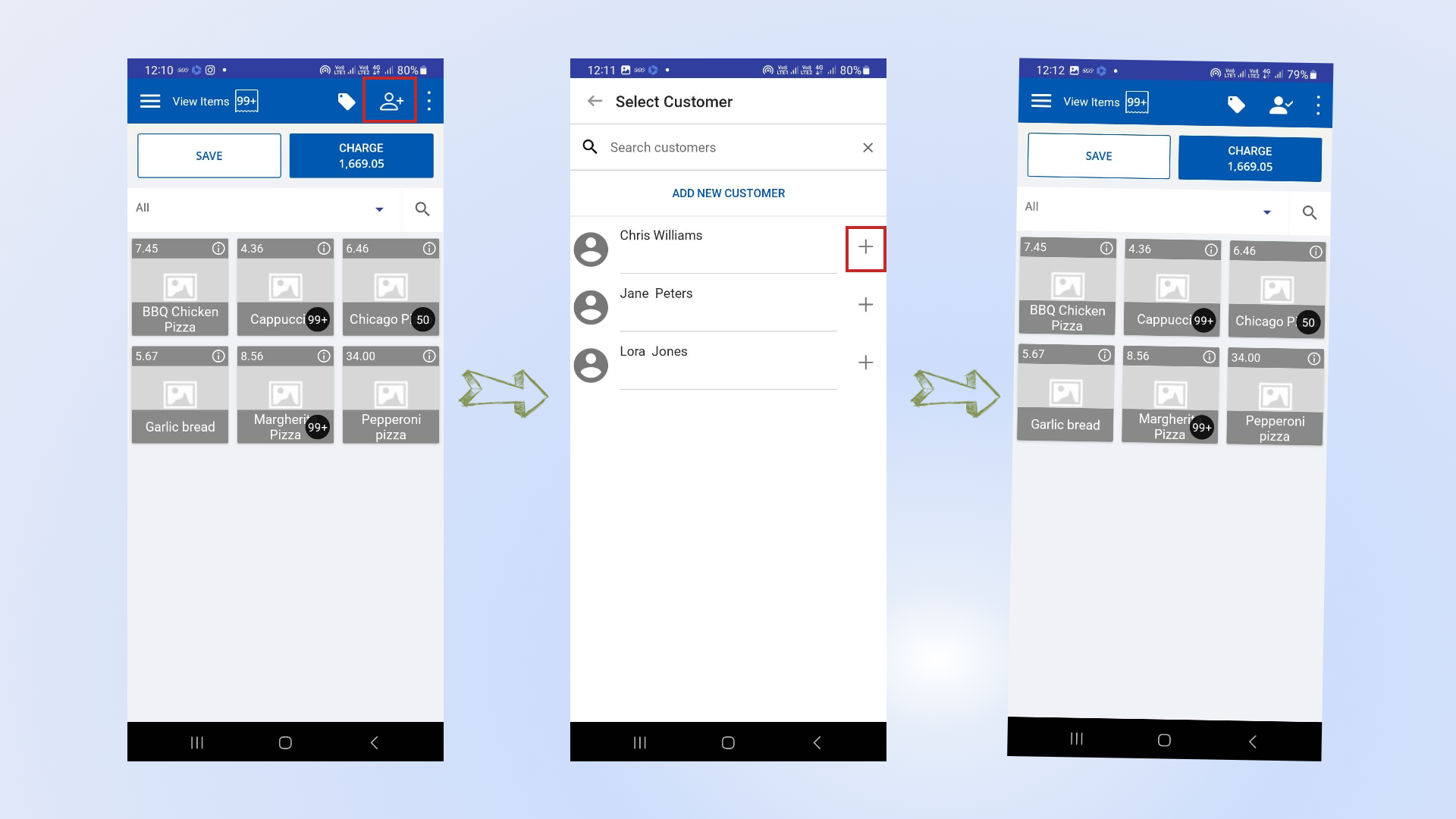
Easy POS makes it easy to add customers directly without navigating to the "Customer Profile" page. Follow these steps:
- Open the POS App and go to the Main Menu.
- Select New Sale.
- Click the Customer icon located in the upper-right corner.
- Search for the relevant customer using the search bar.
- Click the ( + ) icon next to the customer's name to add them directly.
2. How to Add Customer to the Receipt / Bill Quickly
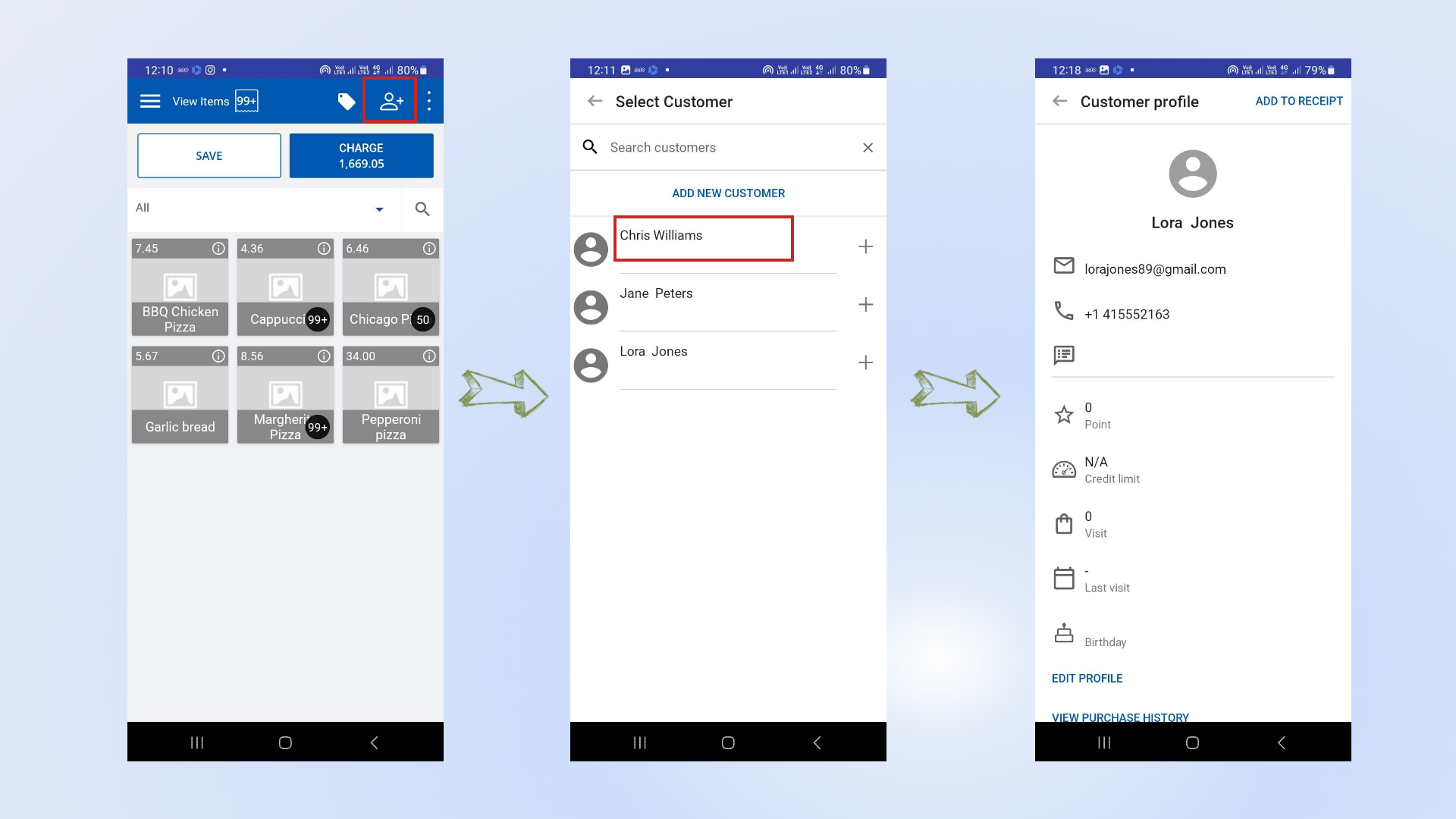
To view a customer's profile:
- Simply click on the customer's name in the POS interface.
Was this article helpful? Tell our team what was missing.
Send us feedback