
How to Add Tips to the Receipts
1. How to Add Tips - Back Office
In some countries including in the United States, the "Tips" function in a POS system is an essential feature for businesses that rely on tips, such as restaurants and bars.
Now the system allows you to set different tip percentages and calculate and show them on the receipt.
Under the new tips function, the system is able to enter different tips percentages and calculate the tip amount based on those percentages. Those different tips values and percentages will show on the receipt to ensure that customers are aware of the tipping options available.
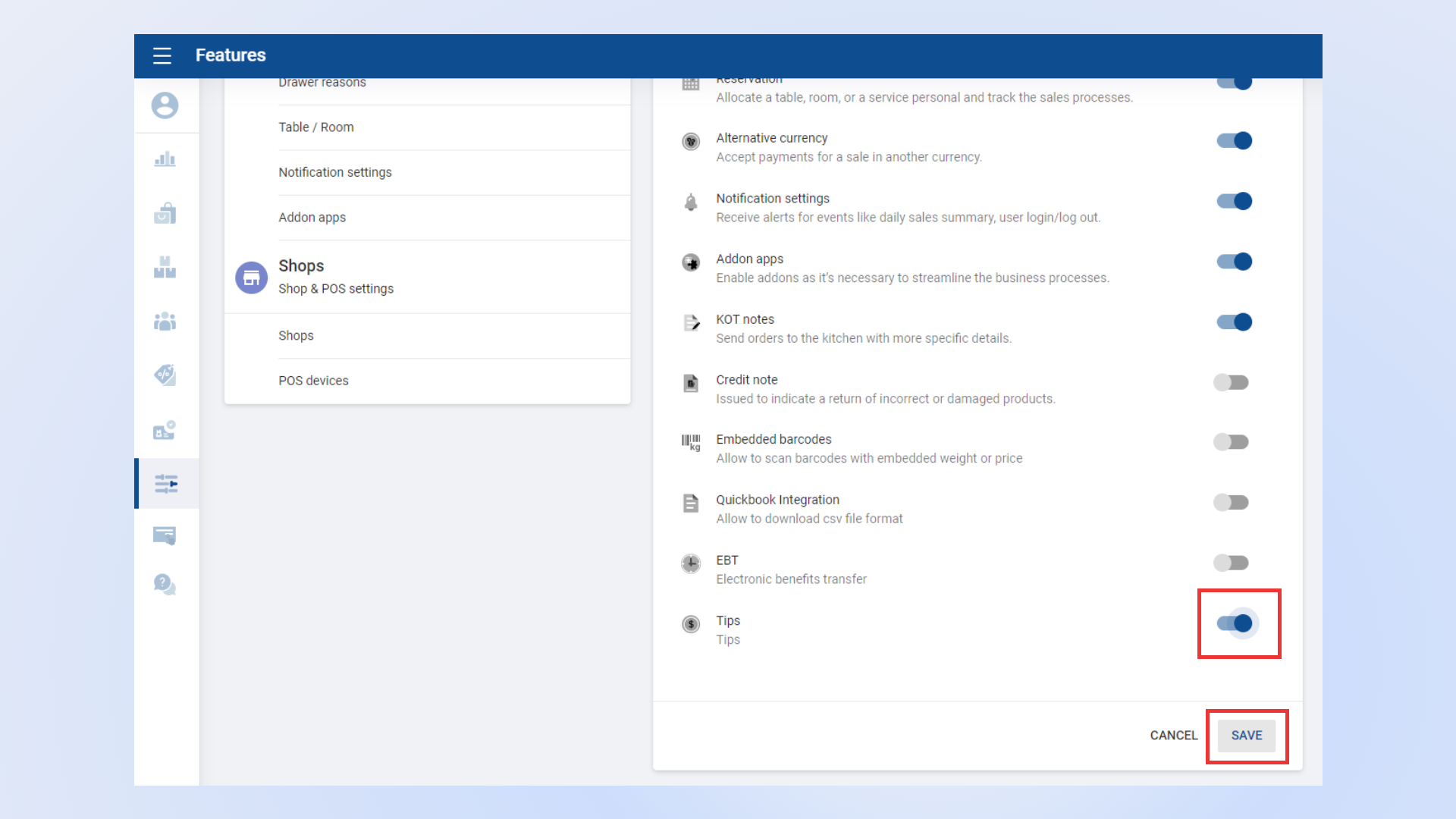
Login to POS Back Office Webportal
Select “ Settings ” from the main menu
Go to the “ Feature”
Tick ON “ Tips ” button
Click “ Save”
2. How to Add Tips - Back Office
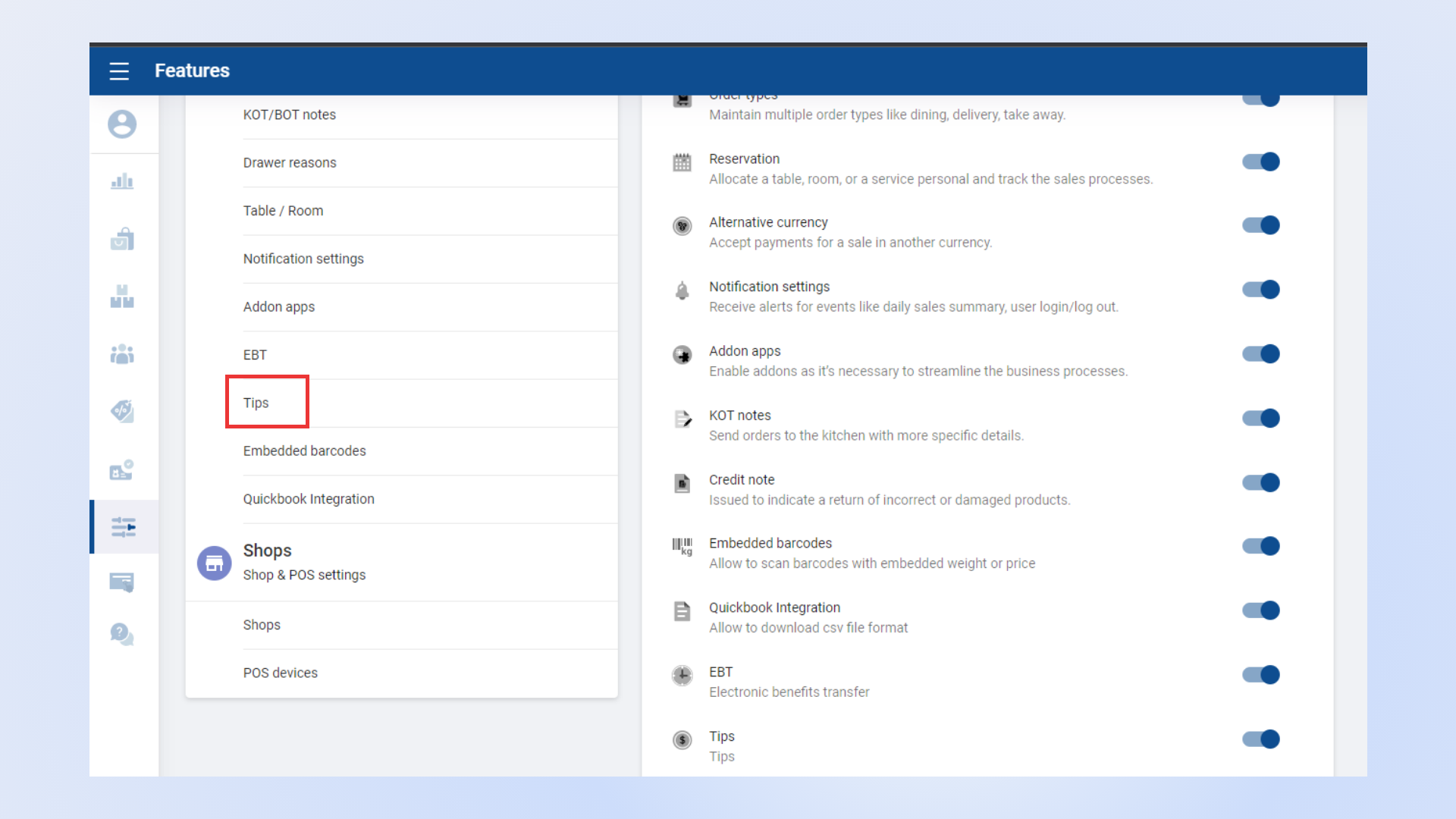
- Once you ON “Tips ”, it will appear as a sub-menu in the Settings section
3. How to Add Tips - Back Office
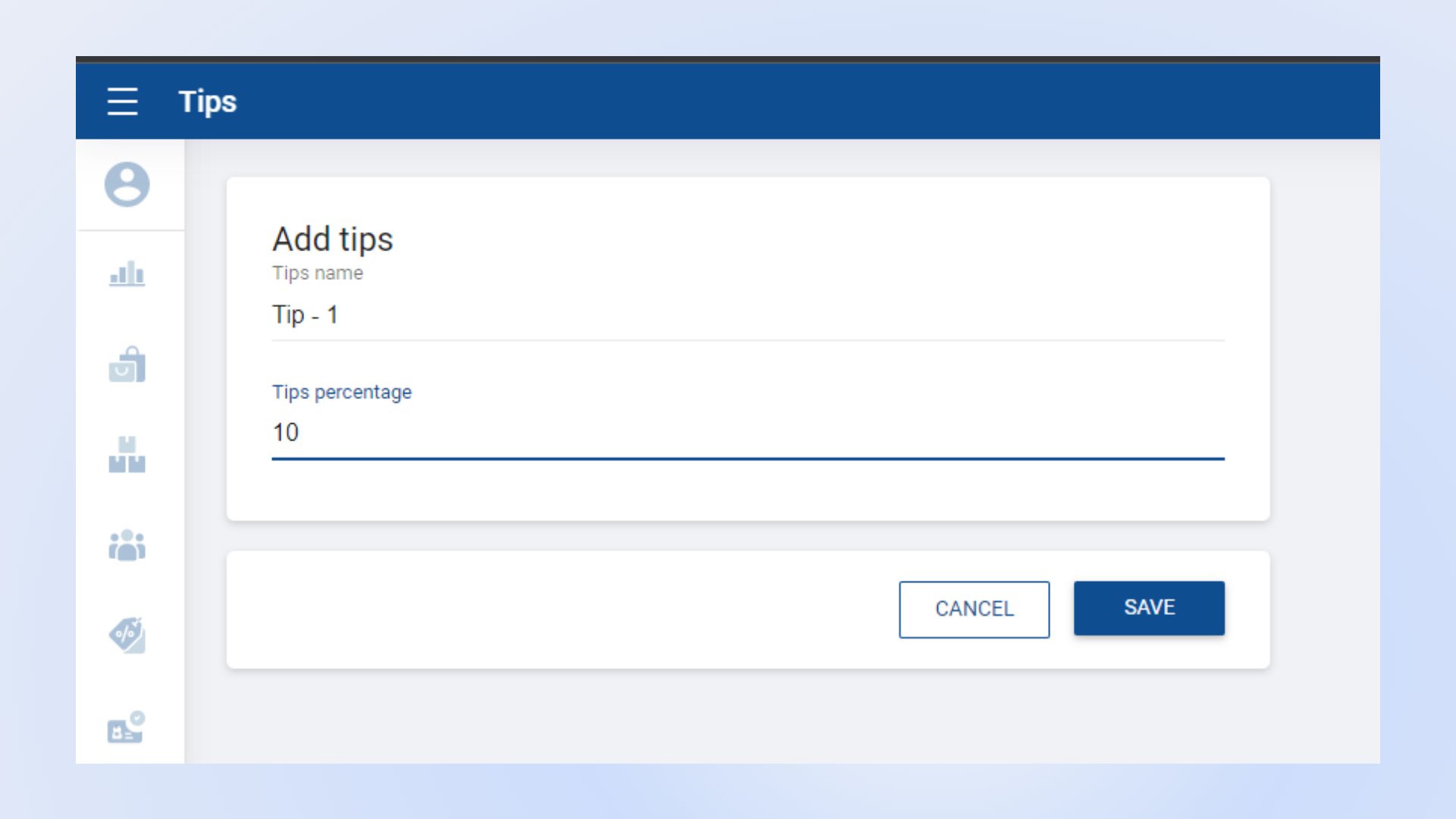
- Click the “Add Tip” button
- Enter “Tips Name” and “Tips Percentage “
- Click “Save”
When you bill from the POS App, those different tip values will be printed on the receipt.
Was this article helpful? Tell our team what was missing.
Send us feedback